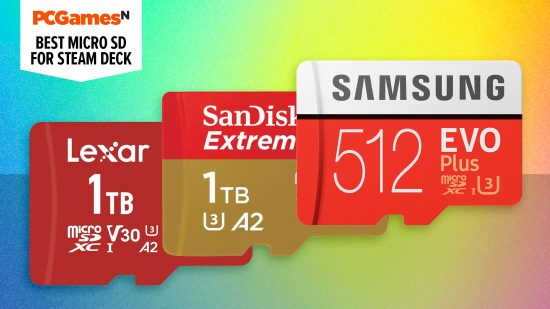

Getting the best microSD card for Steam Deck is a quick and easy way to expand the storage of your handheld beyond its internal SSD. More space is almost always better when it comes to storing the best Steam Deck games. After all, even the 512GB version will only just fit Call of Duty: Warzone, Red Dead Redemption 2, and Assassin’s Creed: Valhalla before filling up.
Whether you have the Steam Deck OLED or the original Steam Deck LCD model, an affordable microSD card is probably one of the best Steam Deck accessories you can buy. It allows you to add more storage instantly, although if you’re using one of the best Steam Deck cases, you might need to remove it first.
All of them are microSDXC with a UHS-I interface, making them compatible with both Steam Deck models. Most cards start at 32GB and max out at 1 TB, but we recommend investing in at least 512GB capacity so that you don’t fill them up too quickly. Using the memory card slot of your handheld gaming PC couldn’t be simpler. To help you expand your on-the-go Steam library, we’ve tried and tested the best microSD cards for Steam Deck in 2024.
Why you can trust our advice ✔ At PCGamesN, our experts spend hours testing hardware and reviewing games and VPNs. We share honest, unbiased opinions to help you buy the best. Find out how we test.

Samsung Pro Plus
Best microSD for Steam Deck
 Today’s best deals (512GB)
| Storage capacity | 128GB, 256GB, 512GB |
| Max read speed | 180MB/s |
- Waterproof, shockproof
- Comes with full-size SD adapter
- No 1TB option
Samsung’s Pro Plus microSD card is the best option for most Steam Deck users, balancing durable build quality, price, and speed. The max read speed is lower than that of Samsung’s Pro Ultimate card, but it’s more than enough for loading up intensive games.
Like the SanDisk Extreme card in our second spot, the Pro Plus has protection against water, high or low temperatures, X-rays, and drops, with a 10-year limited warranty against your purchase. We’ve been using these cards for years – even predating the Steam Deck – and have so far never had to test the warranty, as the build quality is so incredibly durable. The main downside is that there’s no 1TB capacity option yet.

SanDisk Extreme
Speediest microSD for Steam Deck
Today’s best deals (512GB)
| Storage capacity | 64GB, 128GB, 512GB, 1TB |
| Read speed | 190MB/s |
- Speedy, seamless performance
- Shockproof, waterproof build
- Not the cheapest
The SanDisk Extreme microSDXC 1TB model is the fastest in our guide. It can’t hit its 160MB/s read speed ceiling because of the Steam Deck’s limitations, but it performs better than its competition with heights of 100MB/s.
The build quality is as extreme as the name suggests, too. Western Digital claims the card is waterproof, shockproof, and even x-rayproof. We don’t recommend putting any of those claims to the test, but it comes with a lifetime warranty if you do, which is more than most alternatives and explains the higher cost.
SanDisk is an incredibly reliable name in storage. While even faster microSD cards are available, anything more would likely be overkill for the Steam Deck, and this is the fastest option we’d recommend investing in.

Integral UltimaPro Premium 1.5TB
microSD with biggest storage
Today’s best deals (1.5GB)
| Storage capacity | 64GB, 128GB, 512GB, 1TB, 1.5TB |
| Read speed | 100MB/s |
- Lower read speed than rivals
- A1 rather than A2 performance
- Patchy US availability
Integral’s 1.5TB UltimarePro Premium model is currently the biggest capacity microSD in this guide, but it isn’t anywhere near the fastest. In short, it’s a great option if you want to store as many games as possible without swapping cards and if speed isn’t your top priority.
Like Samsung, Integral claims its UltimaPro Premium cards are resistant to shock, water, X-rays, and extreme temperatures. And you get a five-year manufacturer warranty protection to back this up. Like most options on this list, it comes with an SD adaptor so you can use it for other things, say taking photos or transferring files from your PC.
The Integral 1.5TB offers good value for money per GB, but I haven’t seen it on offer as often as SanDisk’s 1.5TB Ultra microSDXC card. And its availability is skewed towards the UK for the moment.

Lexar Play
The most affordable microSD
Today’s best deals (512GB)
| Storage capacity | 128GB, 256GB, 512GB, 1TB |
| Read speed | Up to 160MB/s |
- Value for money
- Designed for portable gaming devices
- Not the fastest
Lexar Play microSD cards are designed for portable gaming consoles, and offer the best value for money of all the cards on this list. You get a shorter limited warranty of five years instead of ten, but in reality, who keeps cards for that long, anyway?
The maximum read and write speeds are 100MB/s and 160MB/s respectively, and having tested Lexar’s card against the SanDisk Extreme and Samsung Pro Plus cards, it’s hard to tell the difference in real life. The Lexar Play is the most affordable option, meaning you can bump up the capacity for the same price as smaller alternatives.
FAQs
What microSD can Steam Deck use?
The microSD requirements for the Steam Deck LCD and Steam Deck OLED are pleasingly simple. Both models have a UHS-I interface that supports microSD, SDXC, and SDHC cards.
When shopping for the best microSD cards, you’ll notice that they have classifications and their capacity printed on the card itself – things like A1 or A2, then a number inside a U; U1, or U3. We recommend an A2 and a U3 speed class for the best performance, which is why all the cards except for the 1.5TB options where we’ve prioritized storage – in the list have these numbers.
Can a Steam Deck use a 2TB MicroSD card?
Yes, in theory, but 2TB cards aren’t readily available yet. Earlier this year, we wrote about the news of Steam Deck’s first 2TB MicroSD card. Manufacturer AGI is behind the SDXC card which should make it possible for MicroSD storage to max out at 2TB, and we’ll be reviewing the card for this guide as and when it does.