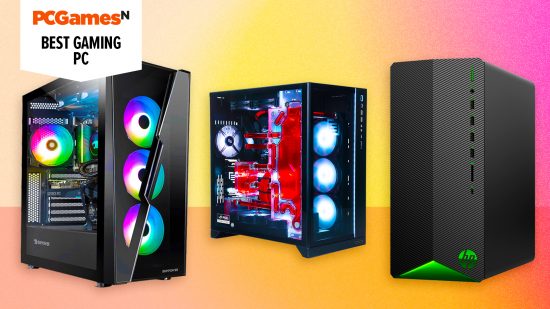

The best gaming PC is a system that suits your needs and fits within your budget. It could be something that spares no expense, packing the most powerful hardware into a premium case, or a budget build that’s more than capable of running your favorite esports game. Regardless of which rig sounds more up your street, we’re here to help you figure out what prebuild is right for you.
Whether you know how to build a gaming PC or not, prebuilt systems offer a convenient way to upgrade your set-up in one fell swoop with minimal hassle. They typically come with a small premium versus doing it yourself, but this does remove the risk of things going wrong on your end. Better still, you’ll be covered by another warranty on top of the individual parts.
The best websites for custom PC builds will offer you a selection of components to choose from within a given price range. As a general rule of thumb, you’re best putting the majority of your budget into the most powerful graphics card you can afford, as it’ll have the most dramatic effect on performance. When it comes to picking out a CPU, opt for something with at least six cores if you can, but don’t forget to pair it with two 8GB sticks of RAM.
It’s worth mentioning that the handheld PC market has greatly matured in recent years, with the Steam Deck serving as the most successful pioneer. These devices are worthy alternatives to a tower, particularly if your buying power is on the lower side.
Why you can trust our advice ✔ At PCGamesN, our experts spend hours testing hardware and reviewing games and VPNs. We share honest, unbiased opinions to help you buy the best. Find out how we test.

Alienware Aurora R15
Best gaming PC overall
 Today’s best deals
| Operating system | Windows 11 Home |
| CPU | Intel Core i7 13700KF (13th Generation) |
| Memory | 16GB RAM |
| Storage | 1TB |
| GPU | NVIDIA GeForceRTX 3060 (12GB) |
- Runs like a dream
- Great connection options
- Not upgradable
Rather than include the more recent Alienware Aurora R16, we’ve included the R15 as the best gaming PC. Why? Because this earlier model still has all the power you could need to play any of today’s most demanding AAA games and it looks infinitely better than the R16 which, let’s face it, is more bland.
The R15, by contrast, has all the striking beauty we expect from Alienware and oodles of top-notch spec to back it up, including a 13th Gen Intel Core i7 13700KF processor with 16 Cores and 24 Threads, clocking 2.50GHz base and a maximum of 5.40GHz turbo, matched with an NVIDIA GeForce RTX 3060 graphics card to deliver dazzlingly immersive images on all the latest games.
With 16GB RAM and 1TB of storage also under the hood, plus more ports than you can shake a USB stick at, you’re good to game right out of the box.
And with an advanced cooling system, the games can go on for longer free from fear of an overheating meltdown, while the impressive internal acoustics keep things on the quiet even during intensive tasks. Then there’s that side window onto the workings, which, some might say, is cooler still.

HP Pavilion TG01-2170m
Best cheap gaming PC
Today’s best deals
| CPU | Up to AMD Ryzen 7 5700G |
| Motherboard | Custom AMD |
| RAM | Up to 32GB (2 x 16GB) DDR4 3, 200MHz |
| GPU | Nvidia: up to GeForce GTX 1660 Super, AMD Radeon RX 5500 |
| Storage | Up to 1TB SSD |
| Power supply | 400W 80 Plus Gold |
| Case | HP Pavilion Acid Green |
| Warranty | One-year limited hardware |
- Decent price
- Great entry-level gaming PC
- Will probably need extra cooling for GPU
While it’s true that PC gaming can be expensive, that doesn’t mean that it has to break the bank, and the HP Pavilion TG01-2170m is proof of that. It comes with an AMD Ryzen 3 5300G and Radeon RX 5500 which act as a plenty powerful combo for those starting their journey into the hobby or anyone with a smaller budget.
HP lists the Pavilion TG01-2170m with a starting price of $699.99, but you can often find it on sale with extras like a gaming mouse and keyboard, netting yourself a proper bargain.

Corsair One i500
Best mini gaming PC
Today’s best deals
| CPU | Intel Core i9 14900K |
| Motherboard | MSI B760M Mortar WiFi |
| RAM | 32GB (2 x 16GB) Corsair Vengeance 6,000MHz DDR5 |
| GPU | Nvidia GeForce RTX 4080 Super or RTX 4090 |
| Storage | 2TB Samsung PM9A1 SSD |
| Power supply | 1,000W Corsair SF1000L |
| Warranty | Two years parts and labor return to base |
- Gorgeous looking and well-built
- Small footprint
- Superb gaming pace
- CPU can run hot under load
- Very high price
- Noisy fans during gaming
Corsair has outdone itself with the design of the super-compact One i500. With a footprint of just 187 x 300mm, it’s gorgeous, with wooden panels flanked by strips of RGB lighting and superb build quality. There’s a serious PC beneath this classy exterior too, with an Intel Core i9 14900K CPU and a choice of either an Nvidia GeForce RTX 4080 Super or RTX 4090 GPU. That’s about as serious as you can get when it comes to specs, and Corsair has even managed to water-cool both the CPU and GPU inside this compact case.
This mini PC shows that there’s no need to sacrifice gaming performance in your mission to cut down on desk space. We tested the RTX 4080 Super version, which happily ran Cyberpunk 2077 at 2,560 x 1,440 with the Ultra ray tracing preset at 106fps, thanks to some help from the frame-generation tech in Nvidia DLSS 3. You can even run F1 23 at 4K with Ultra High settings on this rig, which averaged 94fps in our tests.
There are a couple of caveats. The 120mm AIO cooler on the CPU doesn’t have enough cooling power to enable the Core i9 14900K to hit its peak boost speeds, though it still runs quickly enough for gaming. It can also make quite a lot of fan noise when running games. Otherwise, this is a fantastic mini machine with amazing gaming performance under its wooden hood.
Read our Corsair One i500 review.

NZXT Streaming Pro PC
Best gaming PC for streaming
Today’s best deals
| CPU | AMD Ryzen 7 5800X |
| Motherboard | AMD B550 |
| RAM | 32GB (2 x 16GB) DDR4 3, 200MHz |
| GPU | Nvidia GeForce RTX 3080 |
| Storage | 1TB NVMe M.2 SSD |
| Power supply | NZXT C750 750W 80 Plus Bronze |
| Case | NZXT H510 Flow |
| Warranty | Two years |
- Brilliant for streaming
- Lots of good connection options
- Quite pricey
You don’t need bleeding-edge specs to be a successful streamer, but it certainly helps. The NZXT Streaming Pro PC packs an AMD Ryzen 7 5800X with eight capable and powerful cores that make it one of the best gaming CPUs for playing games and running a stream simultaneously.
It also comes with one of the best graphics cards, the Nvidia GeForce RTX 3080, allowing you to make use of features such as Nvidia DLSS, NVENC encoding, and Nvidia Broadcast to spruce up your stream.

Maingear Apex Rush
Best water-cooled gaming PC
Today’s best deals
| CPU | Intel: up to Core i9-12900KS, AMD: up to Ryzen 9 5950x |
| Motherboard | Intel: Z690, AMD: X570 |
| RAM | Intel: up to 64GB (2 x 32GB) DDR5 5,200MHz, AMD: up to 128GB (2x32GB) DDR4 3,600MHz |
| GPU | Nvidia: up to GeForce RTX 3080 Ti 12GB, AMD: up to Radeon RX 6900 XT 16GB |
| Storage | Up to 2TB M.2 PCIe 4.0 NVMe SSD |
| Power supply | Up to 1,200W |
| Case | Lian Li O11 Dynamic XL Black |
| Warranty | One-year full-coverage |
- Excellent water-cooling system
- Decent selection of ports
- Huge price tag
- Takes a bit of tweaking
If you’re looking for an altogether cooler system in every sense of the word, the Maingear Apex Rush may be just what you’re looking for. It features a custom PC water cooling solution, which in addition to being stunning to look at also offers better noise and thermals than even the very best CPU coolers.
By bringing your system’s temperatures as low as possible, the Maingear Apex Rush allows you to unlock the maximum potential of its top-tier specs without fear of thermal throttling. Better still, you can choose to kit out your personal rig with either soft tubing or several styles of hardline cooling, allowing you to craft a system that will feel right at home on your gaming desk.

HP Omen 40L
Best 1080p gaming PC
Today’s best deals
| CPU | AMD Ryzen 7 7700 |
| Motherboard | HP FrostBreath 8A98 B650 |
| RAM | 16GB (2 x 8GB) Kingston Fury RGB, 5,200MHz DDR5 |
| GPU | Nvidia GeForce RTX 4060 Ti |
| Storage | 1TB WD SN560 SSD |
| Power Supply | 600W 80 Plus Gold ATX |
| Case | HP Omen 40L |
| Warranty | One-year limited hardware |
- Great 1080p gaming performance
- Often discounted price
- Good-looking, accessible case
- Only 8GB of VRAM on graphics card
- Overpriced at MSRP
- Can struggle with ray tracing without DLSS
HP’s Omen 40L has a suitably demonic look to match its name, with its dark black glossy chassis, and eerily glowing rings of RGB lighting on the front. You get even more lighting from the Kingston Fury RGB memory and CPU cooler too, but this rig isn’t just about good looks. Under that easily-removed tempered glass side panel you’ll find some serious specs.
We tested the GT21-1324 model for our review, which comes with an eight-core AMD Ryzen 7 7700 CPU, based on the powerful Zen 4 architecture. You also get an Nvidia GeForce RTX 4060 Ti GPU, which makes light work of gaming at 1080p, and also supports the latest Nvidia DLSS 3.5 tech, which includes AI frame generation to massively increase frame rates.
Indeed, in our tests, we had this machine running Cyberpunk 2077 at 70fps with the Ultra ray tracing preset on this rig. However, while the 8GB of VRAM on this graphics card is fine for 1080p gaming right now, you may find it becomes a limit in the future, as the latest games are starting to use more VRAM at high settings. You get a decent-sized 1TB WD SSD for storing games as well, and while the 16GB of RAM is the bare minimum we’d recommend for a gaming system right now, you can always upgrade the memory later.
It’s well worth keeping an eye on the price of this machine for a good deal. It’s overpriced at its $1,823.99 MSRP, but you can often find it much cheaper. At the time of writing, it’s going for $1,179.99 at Best Buy, which is a great price for the spec on offer.
Read our HP Omen 40L review.

MSI MEG Trident X2 14th
Best 4K gaming PC
Today’s best deals
| Operating system | Windows 11 Home |
| CPU | Intel Core i9-14900KF |
| Memory | 64GB DDR5 RAM |
| GPU | Nvidia GeForce RTX 4090 (24GB) |
| Storage | 2TB SSD, 2TB hard drive |
| Case | MSI Trident X2 |
| Warranty | One year parts and labor |
- Incredible gaming performance
- Touchscreen on front of case
- Efficient cooling system
- No glass panels or internal RGB
- Touchscreen has limited use
- Can’t configure spec at checkout
Most gaming PCs can be configured to include top-tier hardware but the MSI MEG Trident X2 has the most powerful components in a PC we’ve yet tested. Its Intel Core i9-14900KF processor and Nvidia GeForce RTX 4090 graphics make it as fast as a gaming PC can get. You also get a massive 64GB of RAM and 4TB of total storage. The latter is one of the slightly weaker points of the machine but it’s easy to add more storage later.
The case has an interesting angular design but doesn’t include any glass or see-through panels. Instead, this gaming PC concentrates on delivering huge performance with a clever and efficient cooling system that ducts cool air to the GPU and uses just three other main system fans. Set the PC to Silent mode and it stays remarkably quiet. The touchscreen lets you change volume, control multimedia, switch between Silent, Balanced, and Extreme cooling modes, but we didn’t find that kit a hugely useful feature.
Despite already packing in over $2,000 worth of CPU and GPU, this PC comes in at around $4,000, which is a lot but decent value for the components you get. It’ll deliver over 150fps in most games at 1440p and well over 60fps at 4K in even the most demanding titles. Buy it if you need the fastest machine that’ll be fast for years.
Read our MSI MEG Trident X2 14th review.
How to choose the best gaming PC
There are several factors to consider when choosing the best gaming PC for your needs, but the primary one is always the GPU. This will make the biggest difference (by far) to gaming performance, and it’s the one area where you don’t want to skimp.
As a bare minimum, if you want to play the latest games at high graphics settings at 1,920 x 1,080, look for at least an AMD Radeon RX 7600 or Nvidia GeForce RTX 4060. If you want to play games at 2,560 x 1,440, look for at least a GeForce RTX 4070 or Radeon RX 7800 XT, and if you want to play games at 4K, you need to be looking at an Nvidia GeForce RTX 4080 Super or AMD Radeon RX 7900 XTX.
The next key component is the CPU, but don’t be fooled into thinking that you need loads of cores. Most games don’t use more than six CPU cores, and an eight-core CPU is absolutely fine. The Ryzen 7 7800X3D hits the current sweet spot for games, but you can get away with less. As long as you have a decent GPU, you can easily get by with a Core i5 12400F. The CPU does impact gaming performance, but not by anywhere near as much as the GPU.
Other key factors to consider are the SSD and memory. You want at least 16GB of RAM in a gaming PC now, but 32GB is a worthwhile upgrade if you like to have lots of tabs open in Chrome, with multiple applications open simultaneously. If you’re buying a new system, we recommend buying one with DDR5 memory rather than DDR4 now, as we’ve found DDR5 is faster in games (though not enormously), and this will also give your components some future-proofing.
When it comes to the SSD, look for at least 1TB of space so you’ll have room for a few massive game installs, and look at the type of SSD as well. You don’t need the high speeds of the latest PCIe 5.0 SSDs for gaming, but make sure you at least have an NVMe drive, rather than an old SATA model.
Finally, look at the warranty, particularly when it comes to parts coverage. One year of parts and labor return to base is the bare minimum a PC manufacturer should offer, and having an extra year or two of parts cover is invaluable if your system ever breaks down.
FAQs
Why buy a prebuilt gaming PC?
Prebuilt PCs provide convenience and security that can’t be matched when building a system yourself. As the components are all pre-assembled ahead of delivery, your new rig will be ready to go as soon as it arrives at your doorstep. You’ll also be entitled to additional warranties and potentially technical support if something goes wrong.
Is $1000 enough for a gaming PC?
Yes, anything from $600 upwards is typically enough for a gaming PC. Naturally, higher budgets allow you to splash out for more powerful specs, but more expensive components aren’t explicitly necessary for a solid experience in most games.
A desktop PC isn’t for everyone. If you need portability, explore our best gaming laptop guide. If you want a PC in a small space, the best mini gaming PCs keep getting better and better.
How we test gaming PCs
When testing the best gaming PCs we’ll carry out benchmarking and consider the design, build quality, components, and noise generated by the system. A PC should look clean and attractive on the outside and inside, where cables should be neatly tidied out of sight, and access to key components shouldn’t be obstructed.
We love to see innovative designs that work to improve cooling, looks, and access to components. While we expect the fans in a PC to make some noise when running it at full load, we also expect this to be well-tuned in line with temperatures. A well-built PC will have a carefully-considered airflow system that keeps your components cool under load but doesn’t assault your eardrums.
When benchmarking a gaming PC, our primary tests naturally involve games. We benchmark Cyberpunk 2077 and F123 to test each PC’s performance when enabling the latest graphics features at high settings, including ray tracing, DLSS, FSR, and frame generation. We also test with Total War: Warhammer III to gauge gaming performance without ray tracing enabled.
Each test is run at least three times, and we discard any anomalous results before calculating the average. We report the average and minimum results and work on the principle that a game is smoothly playable if the PC can generate a 60fps average and at least a 45fps minimum in these titles.
Finally, we also run 3DMark, a synthetic benchmark to compare performance with a final score. You can run 3DMark on your system right now, and then compare the scores from our reviews.
Of course, no one buys a PC just for gaming, so we also run Cinebench to give you an idea of how the CPU performs in each system. This gives you a multi-threaded result, where you can see how a CPU with loads of cores performs in hardcore content creation scenarios, such as video encoding and 3D rendering. A single-threaded result represents single-core CPU usage, which is important for most basic Windows software, including image-editing packages.
Our final score and conclusion balance the performance in our benchmarks with the general design and build quality, as well as the price and warranty package compared to the competition.