
What are the best Minecraft mods in 2024? Every game of vanilla Minecraft can vary quite dramatically, and the best Minecraft mods go one step further to provide an entirely new experience. Whether you love creative building, terrifying survival, or speedrunning the story, we’ve got the mod for you below. We’ve included interface mods and tools to make things easier, too.
All the Minecraft mods below are divided into sections, depending on what you want to do with the sandbox game – from simple utility changes to deep world mods you can get lost in for months. If you like to browse, the CurseForge Minecraft game mods hub has a whole section dedicated to the best Minecraft mods and add-ons – as well as equivalents for many of the other best PC games right now.
The best Minecraft mods July 2024
The best Minecraft performance mods are:
- Optifine/Fastcraft
- Xaero’s Minimap
- Just Enough Items
- Jade
- The One Probe
- Enchantment Descriptions
- Sodium
Here are some of our favorite Minecraft world mods:
- EnvironmentZ
- Thermite
- Cobblemon
- TerraFirmaCraft
- The Silence
- Weeping Angels
- Spawn
- MCA Reborn
- Cave Dweller
- Twilight Forest
- YUNG’S Better Fortresses
- Biomes O’plenty
- Alex’s Mobs
- Immersive Portals
- Waystones
- Pixelmon
- Better Minecraft
- Good Ending
- Vault Hunters
- Supplementaries
- Mystical Oak Tree
- Max’s Miny Golems
- Domestication Innovation
- Serene Seasons
- From the Fog
- All the Mods 9
- Natural Progression
- Dungeons Enhanced
- Ribbits
- RLCraft
- SkyFactory 4
And, finally, the top Minecraft building and item mods:
- Traveler’s Backpacks
- Carpet
- World Edit
- Axiom
- LittleTiles
- Chisel
- FramedBlocks
- Decocraft
- Bibliocraft
- Pam’s Harvestcraft 2

Optifine / Fastcraft
Make Minecraft look incredible with the essential Optifine, which adds support for HD textures and more control over graphical options. You’ll likely need Optifine installed before you can run Minecraft shaders, but even on its own, it provides dynamic lighting, improved textures, and a performance boost. Optifine should be fine on most PC setups, but if you’re playing on a potato, grab Fastcraft instead – it significantly improves performance on lower-end machines, particularly with lots of Minecraft mods installed.
Xaero’s Minimap
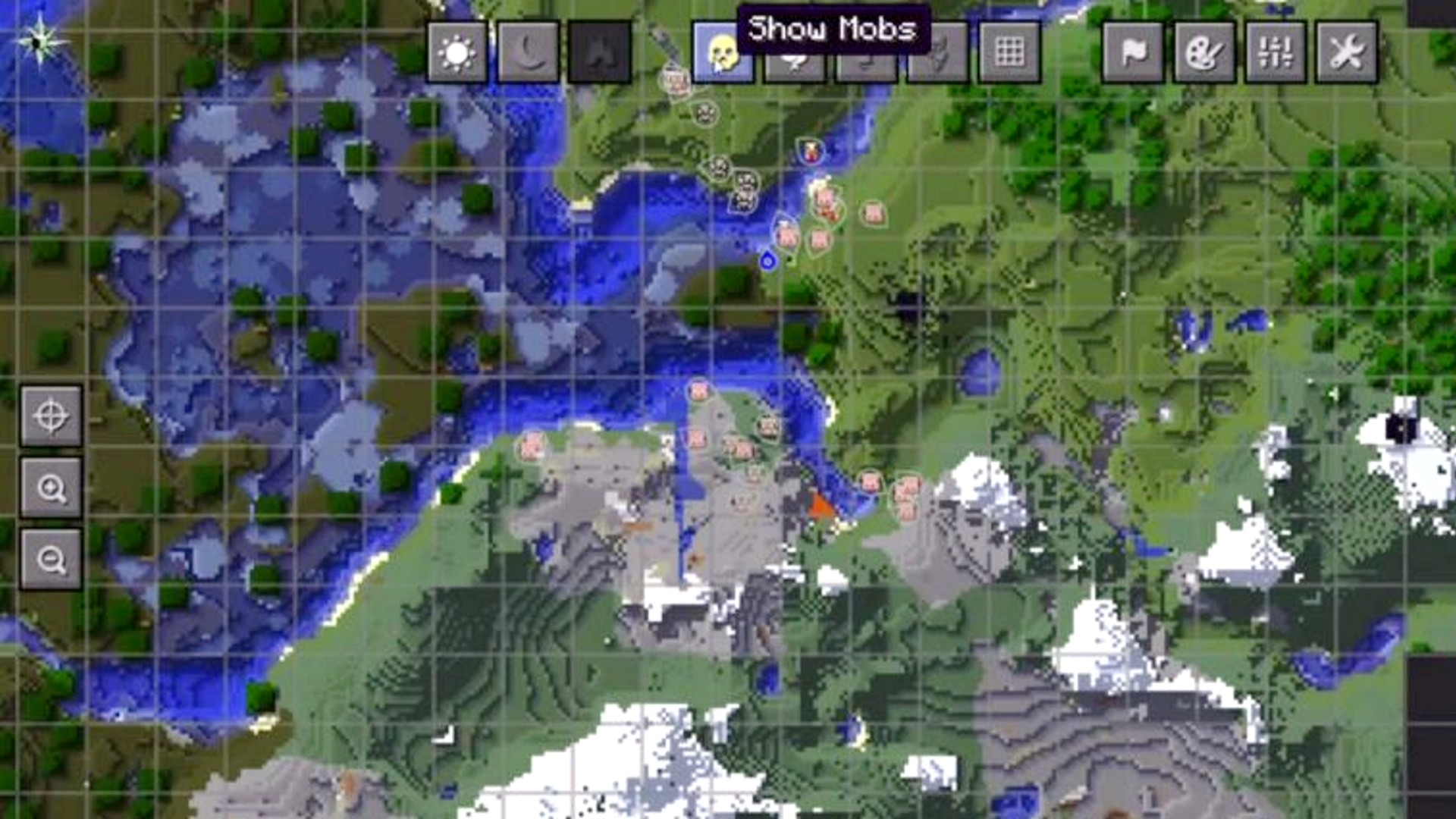
Everyone likes to know where they’re going. Xaero’s Minimap maps your world as you explore, letting you mark waypoints of interest, and even warning you when Minecraft mobs sneak up behind you. The resultant minimap can be a unique rotating square or a classic circle, depending on your preferences, and while the minimap is kept as minimal as possible to avoid affecting performance, you can get even more features by adding Xaero’s World Map.
Just Enough Items
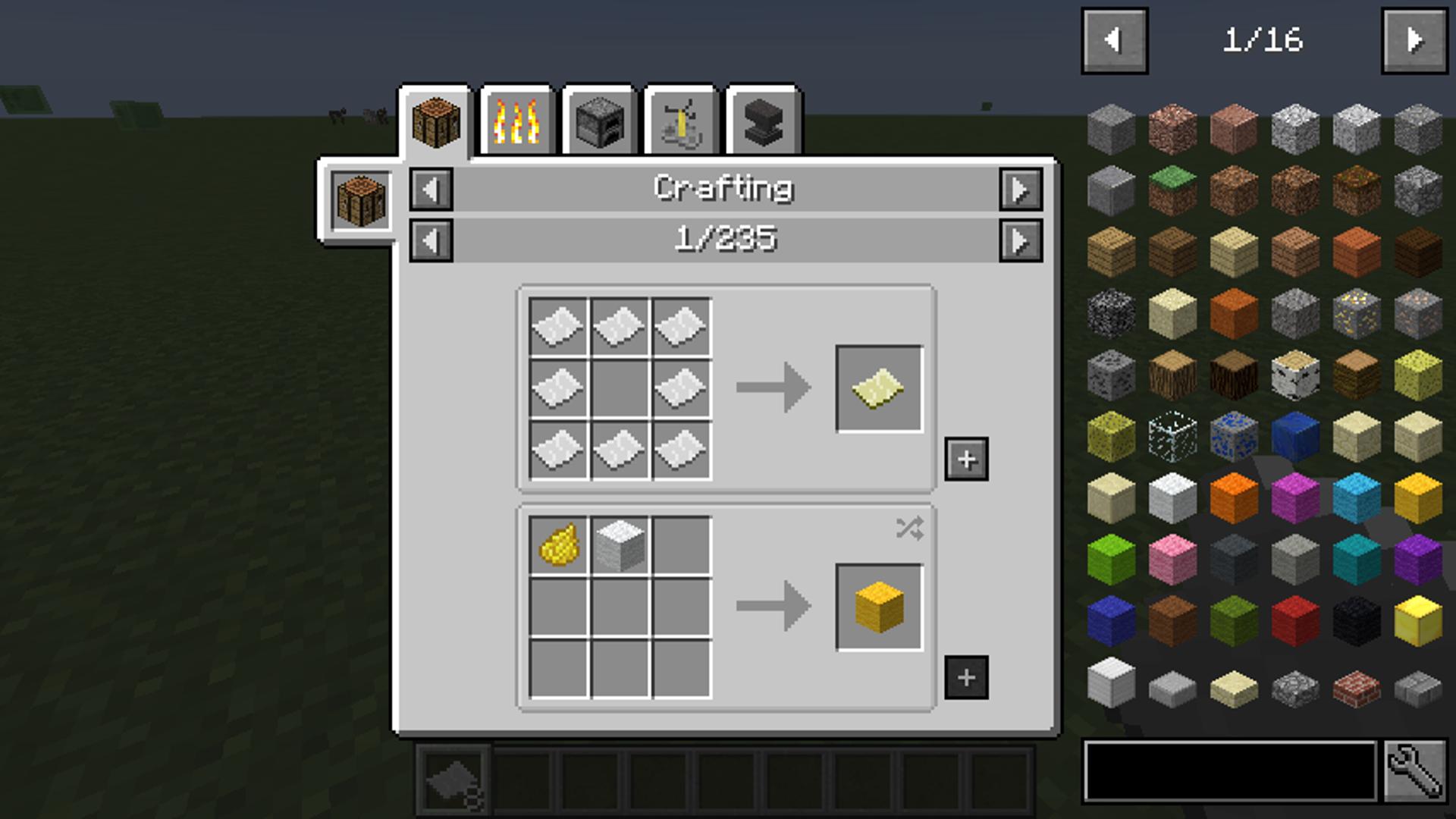
If you need an antidote to the pain of alt-tabbing to a wiki while playing Minecraft, then turn to Just Enough Items (or JEI). It lets you look up the recipe for any item from any installed Minecraft mod through a nifty interface on Minecraft’s inventory screen.
Jade
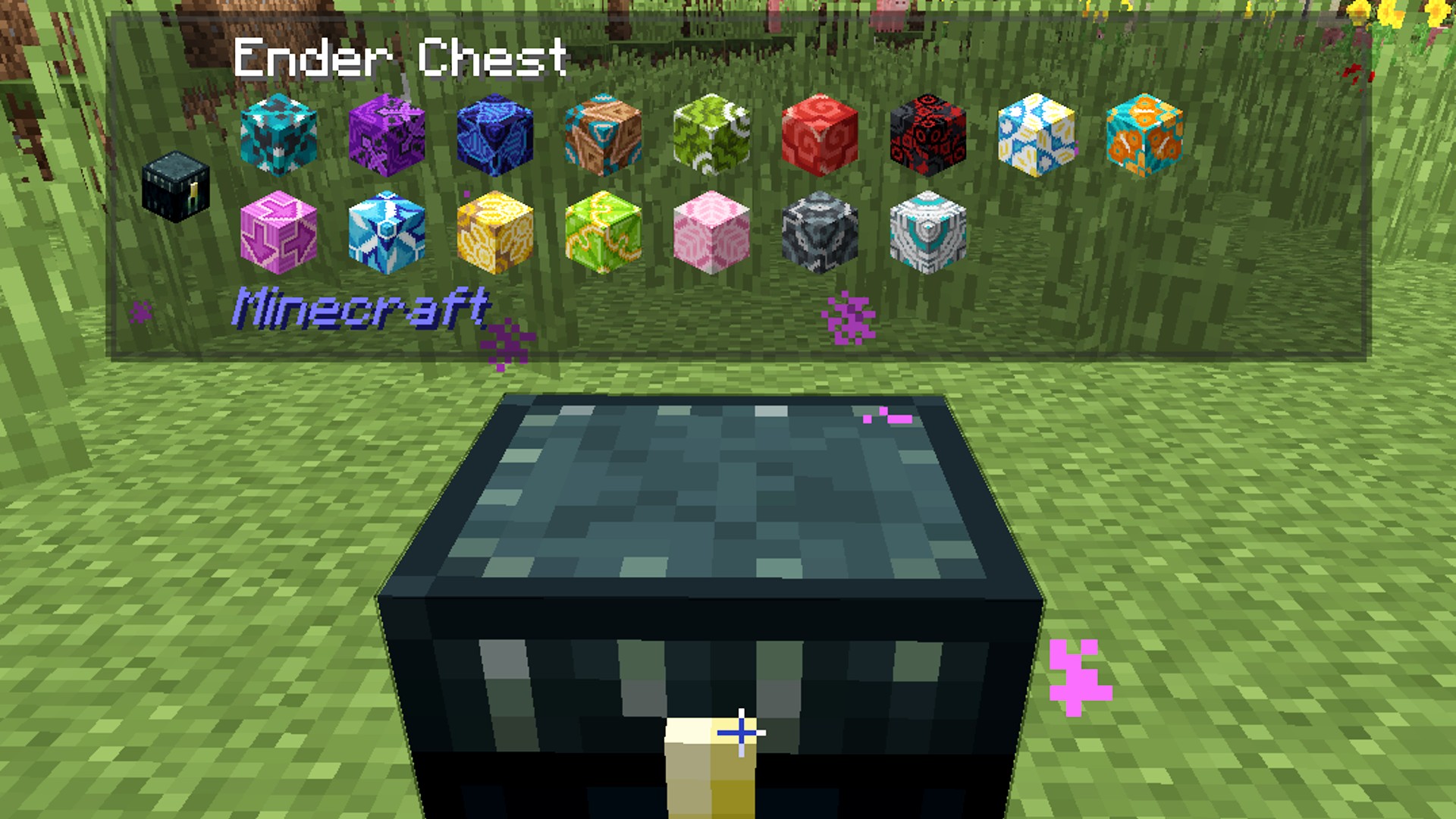
Jade is a super helpful Minecraft mod, particularly when you have a range of texture or world-changing mods installed alongside it. Not only does Jade tell you which item you are looking at, but it provides additional information, too, like the contents of a chest or any status effects applied to a mob.
The One Probe
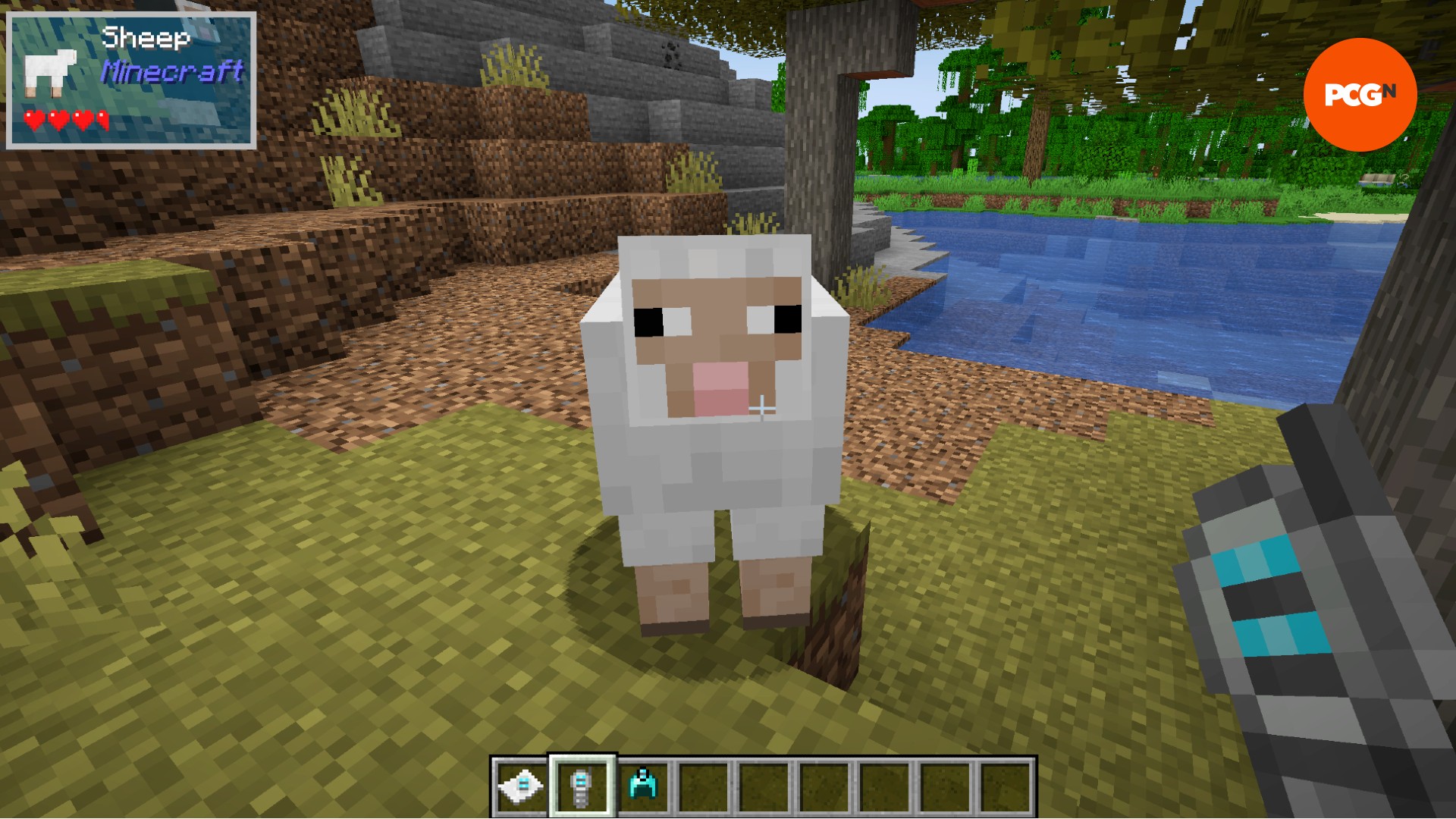
The One Probe, or TOP, is a more highly configurable version of Waila and Jade. The others have the UI available at all times, which you might like, but you may also find it a little intrusive. TOP, on the other hand, can be configured to only show what you’re looking at when you are holding the probe. This gives you more control over the appearance of the interface. What’s more, you can further customize just which information you want to see, including block break progress and mob health.
Enchantment Descriptions
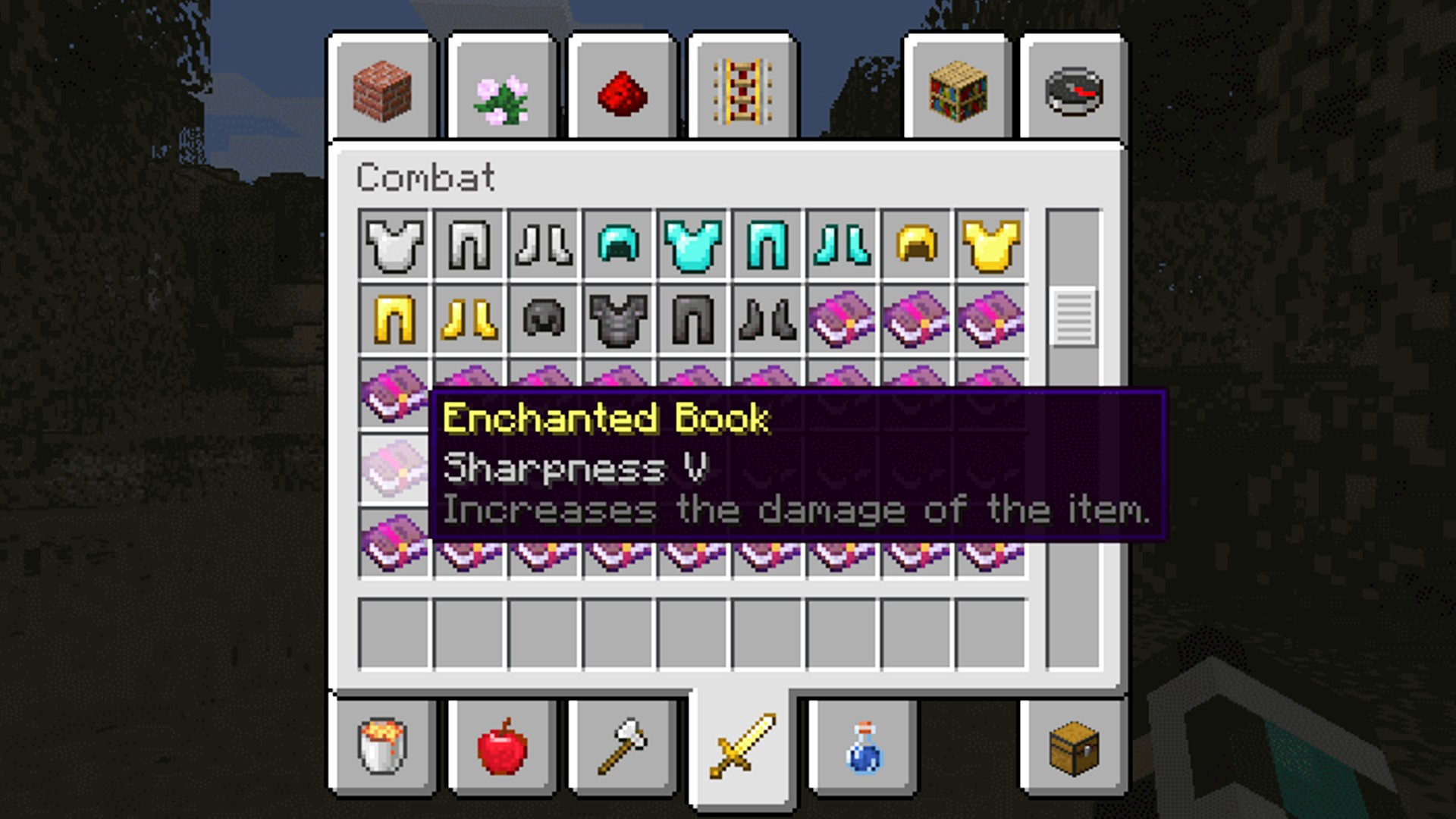
For those who need a reminder of what the Minecraft enchantments do at a glance, the Enchantment Descriptions mod gives you the description of any enchanted book in your inventory. This mod also supports modded enchantments and will display these tooltips in over 13 languages.

Sodium
Sodium is a simple rendering mod, and despite not doing anything to change the way the game looks, no fancy textures or lighting effects, it is perhaps one of the best and most important mods to consider. Sodium concentrates on improving your rendering speed, FPS, and performance stability without affecting the look of the game, so you can expect a more seamless gameplay experience – especially when making large mob farms, flying long distances, and the like.

EnvironmentZ
The EnvironmentZ mod, like Thermite below, adds new, treacherous weathers, seasons, and environments. Not only are you challenged by the heat and cold or various biomes, but there are a range of new craftable items to help you deal with them, such as polar bear fur armor and heated stones.

Thermite
The Thermite mod is a pretty cool (or warm) mod that changes the temperature and other stats based on the biome you’re in. Okay, sorry, that was a bad pun, but don’t let it put you off this mod.
In vanilla Minecraft, you can freeze and take damage when stuck in deep powder snow blocks. Thermite essentially takes that idea and stretches it across the whole game: proximity to torches and campfires, for example, increase your temperature, while additional circumstances cool you off, such as rain and nighttime. Thermite even has dynamic wind, shown as particles moving around you, and wind even increases in strength the higher up you are. Essentially, think Minecraft but survival hardcore.
Cobblemon
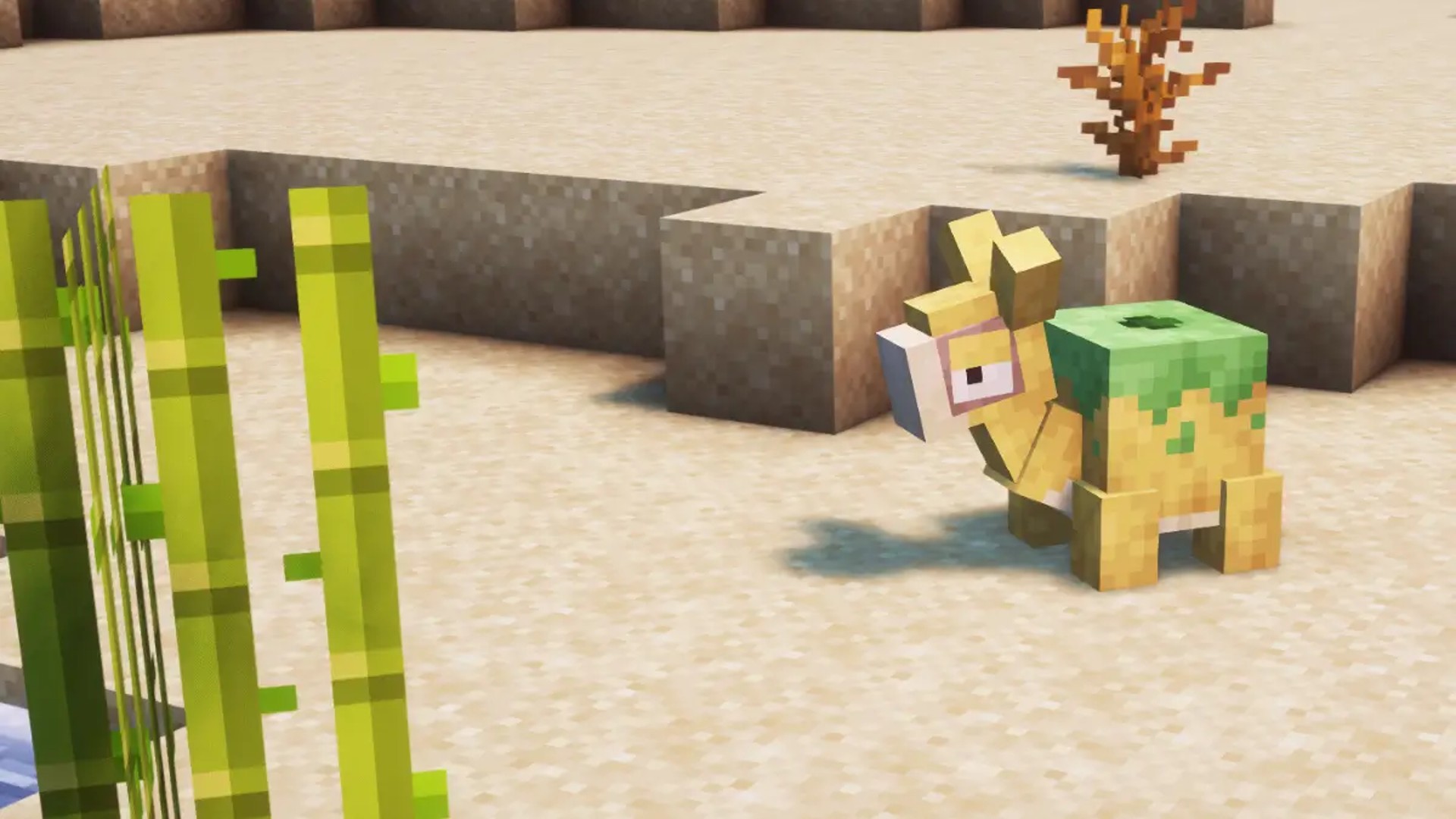
We feel a bit mean putting this in here as the OG, Pixelmon, is further down the page. That said, the more recent Pokemon x Minecraft mod, Cobblemon, definitely deserves a place on this list as well, not least for it’s, ahem, arguably better aesthetic. Pixelmon ports modern Pokemon sprites into the game, meaning that, while your favorite Pokemon might be more familiar, they don’t quite match the Minecraft environment. Cobblemon, meanwhile, has crafted new models for each Pokemon using Minecraft’s pixelated style, so these cute critters look like more like actual Minecraft mobs.
The world itself is fairly similar to Pixelmon, with the usual Minecraft world generation only slightly altered by a few new textures, including apricorns growing on normal vanilla Minecraft trees. Really, the decision between which Pokemon Minecraft mod to use comes down to your preference of Pokemon model design. That said, you can also create your own custom Pokemon from scratch in Cobblemon, so if you’ve always had a dream Pokemon design in mind, you can now make it a reality.
TerraFirmaCraft
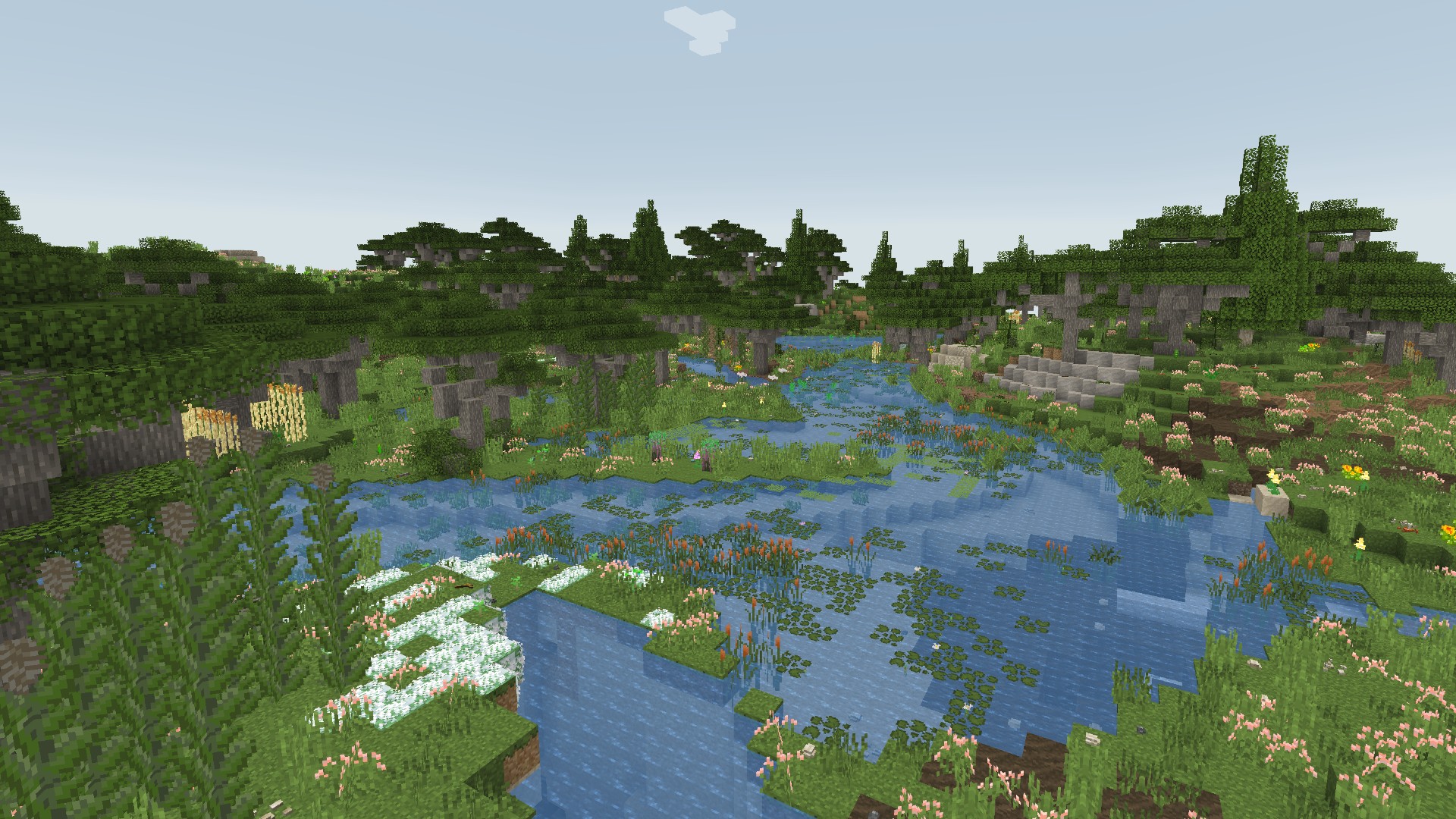
Like RLCraft below, TerraFirmaCraft is a massive world overhaul, creating an entirely new survival experience within Minecraft. Overground, you’ll be greeted by gorgeous new flora, flowing rivers, and all-new structures, while the underground has also been replaced with more realistic layers of rock. You must stay alive during harsh and changing seasons, all while completing a technology tree containing a range of different machines and mechanics than you can find in vanilla Minecraft.

The Silence
One of many Minecraft horror mods, The Silence introduces a new mob to the game, the terrifying creature seen above. This black-and-white humanoid terror is a bit like Herobrine, in that it might be spotted in the distance, it’s bright-white face glowing through the dark. The key here is to remain silent to avoid their attack – similar also, then, to the in-game mod The Warden. Get too close or make too much noise and you might not make it out alive.

Weeping Angels
Inspired by the iconic enemies from Doctor Who, this Weeping Angels mod introduces a new hostile mob of sorts. These stunning weeping angel statues that appear in the world are a sight to behold, and holding that stare is exactly what you should do. The second you turn your back on one of these pretty figures, they come to life and attack. Rather than dealing damage, these stone creatures teleport you if they get close enough to touch you and can even transport you to another dimension.
Luckily, creator Suff99 has your best interests at heart, so this mod is entirely customizable. If you are happy to be teleported but don’t want to get stuck in another dimension, you can change the effects. You can even change it so you don’t get teleported at all. Either way, that mysterious winged figure you can just about make out in the distance makes for thrilling Minecraft gameplay.

Spawn
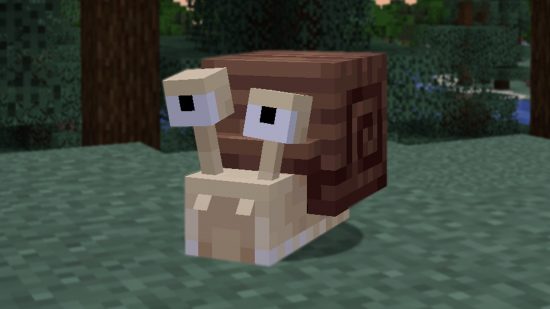
Spawn is one of a few excellent Minecraft mods by Ninni, also the creator of Good Ending (further down this list!). Adding a plethora of new mobs to Minecraft, Spawn was only released in November 2023, so is still fairly new, but Ninni plans to increase the number of new mobs over time. Now, though, there is still plenty to discover, as well as new items and even biomes related to the mobs. There are snails, hamsters, seahorses, angler fish, and even ants.

MCA Reborn
Have you ever wanted a Minecraft dating sim? A Stardew-Valley like Minecraft mod? Do you just wish the Minecraft villagers would stop making that noise? Well, allow us to introduce you to the Minecraft Comes Alive Reborn mod. You could combine this mod with others you’re interested in, as MCA Reborn focuses only on villages – and the people living within them.
Replacing the identical villagers of old, MCA Reborn introduces you to uniquely named villagers, like Samantha above, but the changes don’t stop at appearance. As you interact with these new villagers, you build a relationship with them, ask them to follow you, carry out tasks for you, and even, once you’ve nurtured that relationship enough, ask them to marry you. Expanding on the original Minecraft Comes Alive, MCA Reborn taken inspiration from the likes of The Sims, giving your villagers moods and personalities that define your relationships with them. They also don’t make that classic villager honk anymore, so you don’t have to worry about their moaning and groaning, leaving you filing for divorce.

Cave Dweller
Do you think the Minecraft Warden is scary? Well, it’s the least of your underground problems with this terrifying mod enabled. The Cave Dweller mod introduces the Cave Dweller mob (try saying that three times, fast) to the adventure game, and the dark entity follows you around as you explore the world’s caves. In case you were wondering, no, it can’t sneak up on you, as the spooky cave sounds will grow more intense the closer it gets, but we’re not sure that isn’t worse than a swift death, to be honest.

Twilight Forest
This gorgeous mod adds a new portal and an entirely new dimension: the Twilight Forest. You’ll need to play as normal until you’ve gathered the materials to build the portal above, but then you can completely overhaul your Minecraft experience with new dungeons, mythical creatures, and so much more.
YUNG’s Better Fortresses
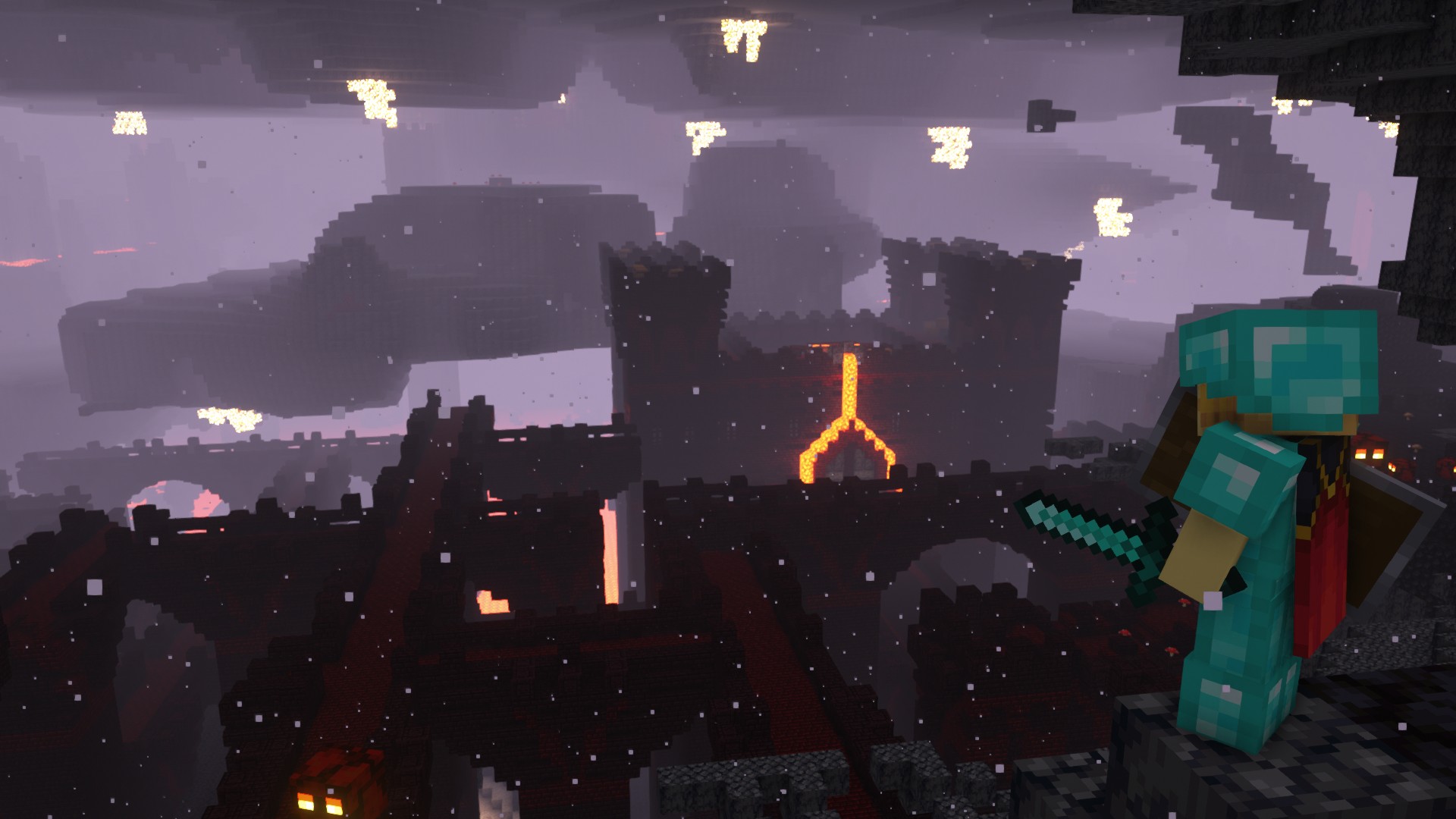
Yung’s Better Fortresses is only the tip of Yung’s mod’s iceberg, as the prolific Minecraft modder has also created Better Witch Huts, Ocean Monuments, and almost any other Minecraft structure you can think of. Put them all together, and you’ll have the most incredible Minecraft world imaginable.
For now, though, we’re focusing on our personal favorite, Yung’s Better Fortresses. As you can see from the image above, this Minecraft mod transforms the terrifying Nether by greatly extending its existing Fortresses into even bigger, more magnificent structures, spanning multiple floors and featuring castle-like main buildings. In vanilla Minecraft, these fortresses might be wide, but they don’t really extend up and down. Yung’s better fortresses, on the other hand, include Lava Halls, a part of the structure that delves deep underground.
Biomes O’Plenty
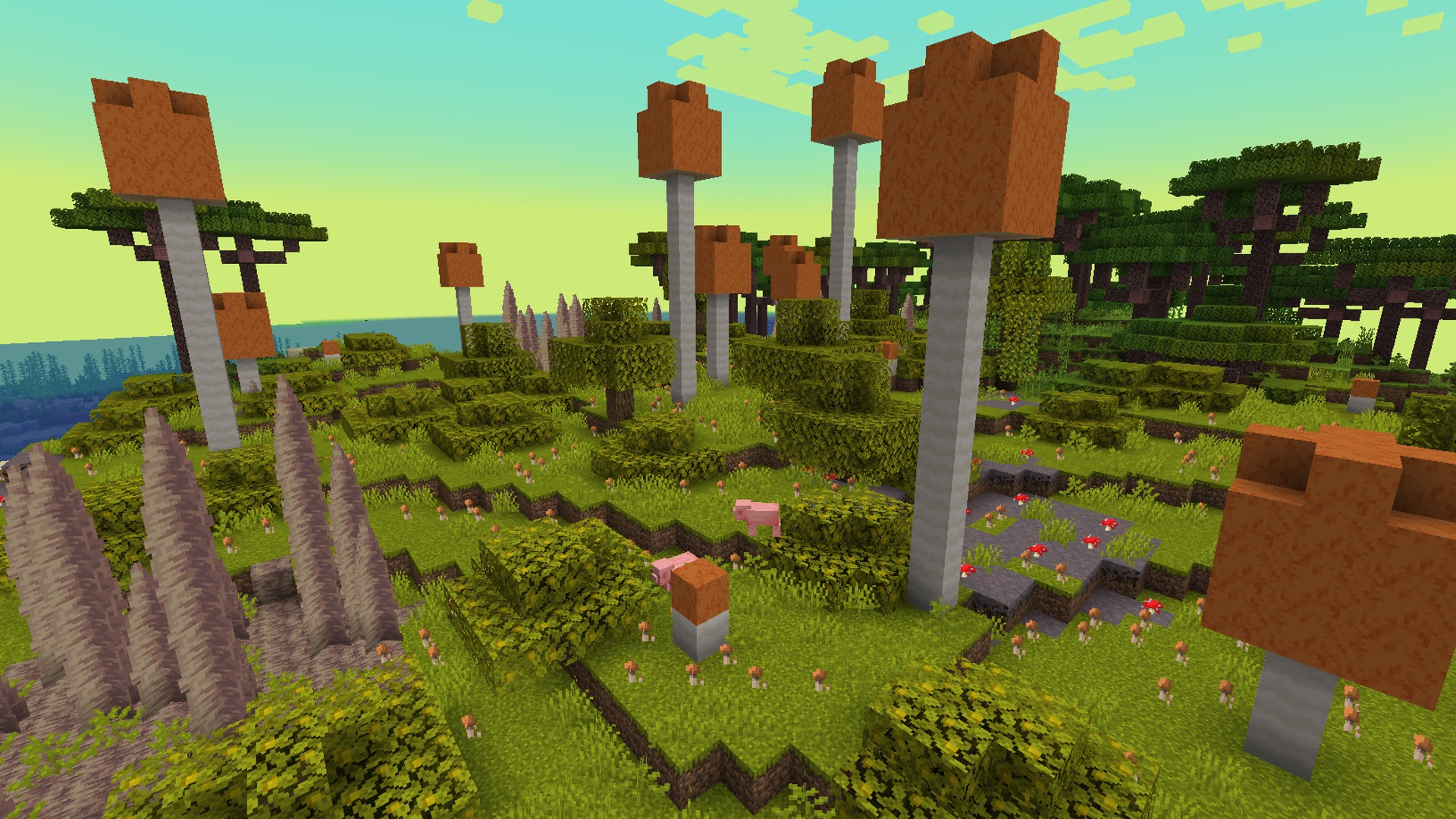
If there aren’t enough vanilla Minecraft Biomes to keep you busy, Biomes O’Plenty adds masses of new areas across both the Overworld and the Nether – from the Alps to Wasteland and everything in between. It adds a little more variety to tools, armor, food, and color while also adding a few extra blocks to build with.
Alex’s Mobs
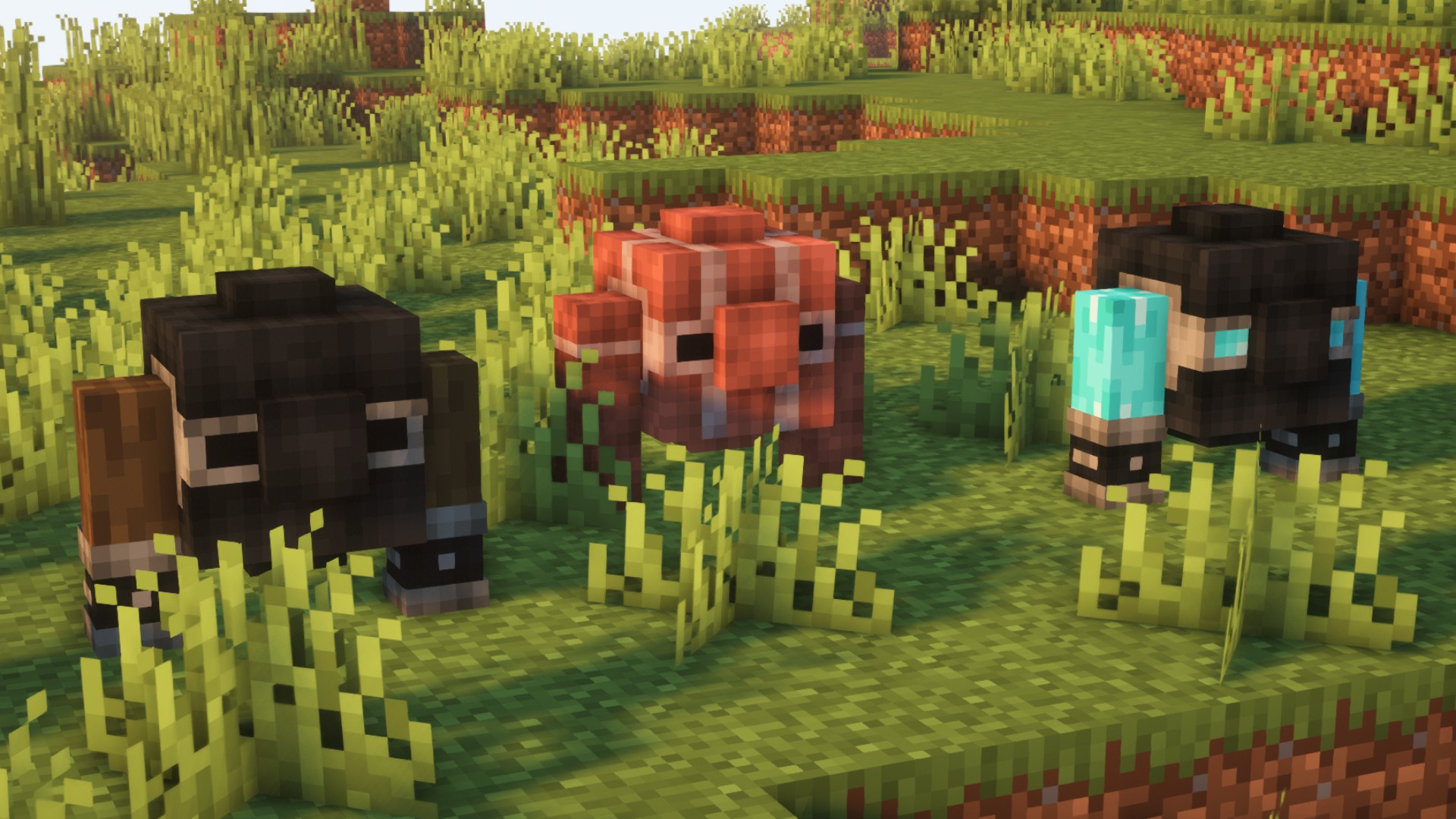
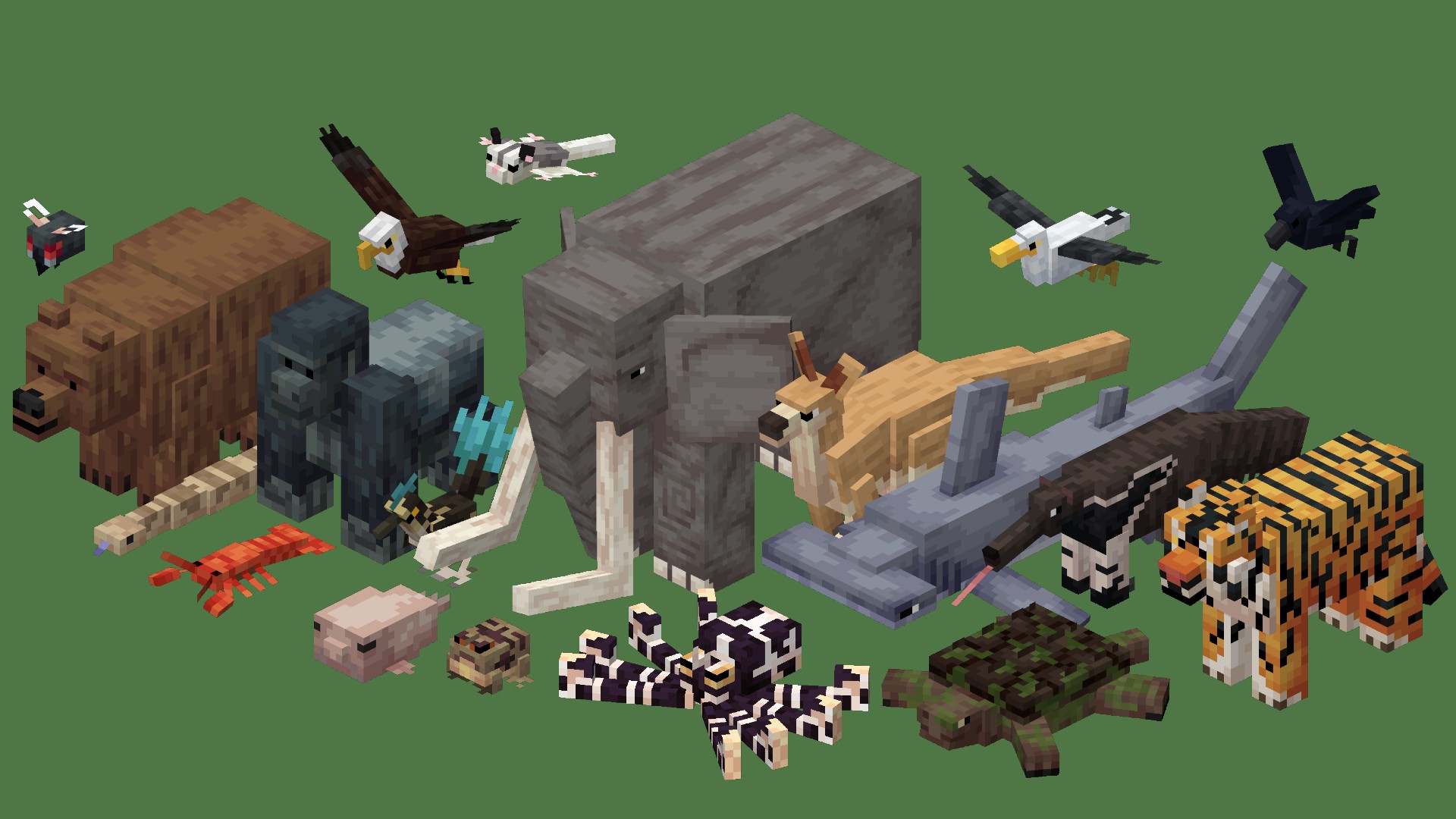
We know from the now-annual Minecraft mob vote that players are always clamoring for additional animals, monsters, and humanoids to be added to vanilla Minecraft. Well, you don’t need to wait for the next big Minecraft update with Alex’s mobs‘ 84 new animals. This mix of realistic and fictional creatures includes kangaroos, tigers, and a bone serpent – each has a unique mechanic and drops.
Immersive Portals
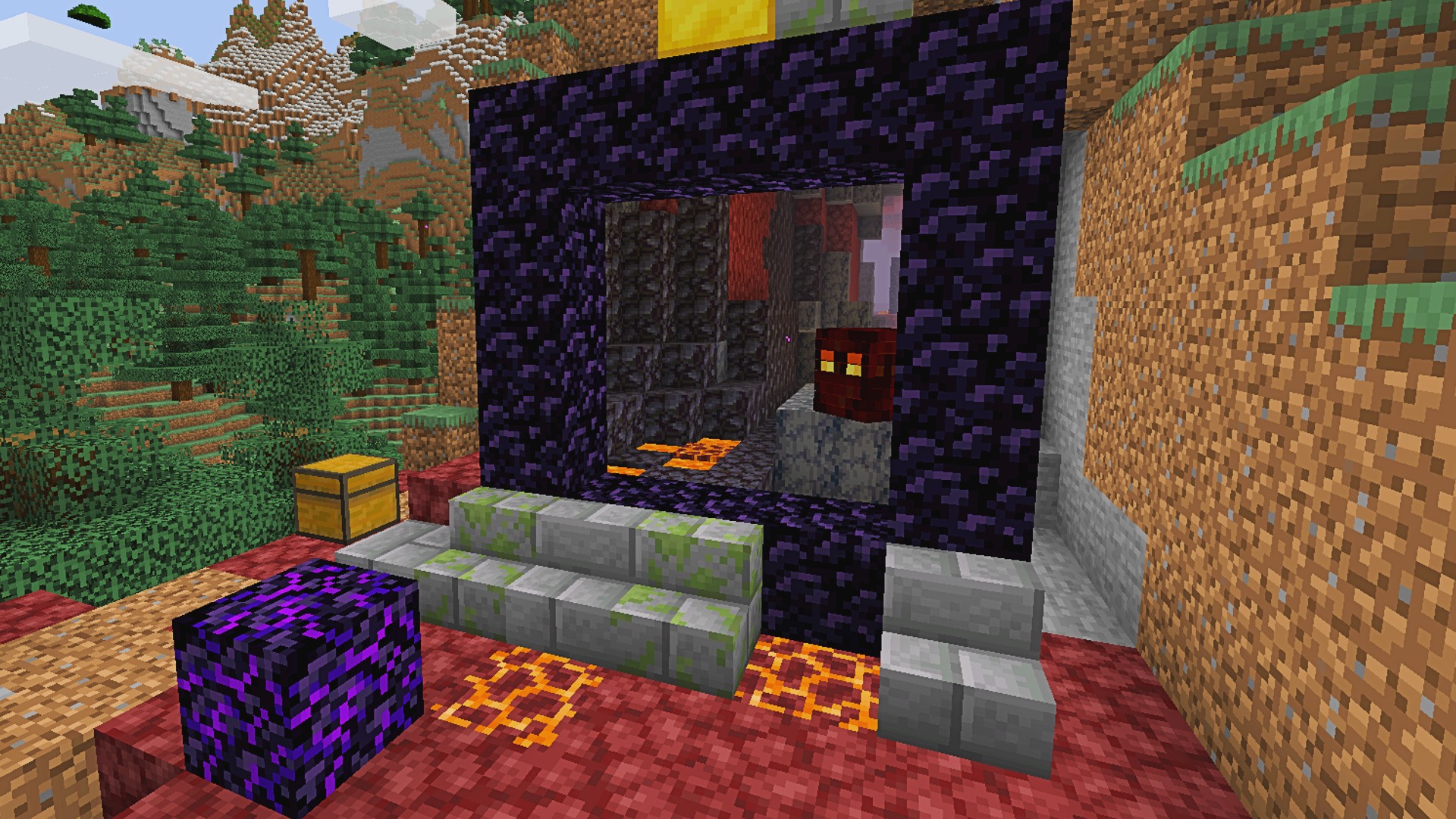
It can be pretty scary throwing yourself headfirst into a Minecraft Nether or end Portal without knowing what’s on the other side. Thankfully, Immersive Portals changes that by showing you precisely what awaits on the other side.
Waystones
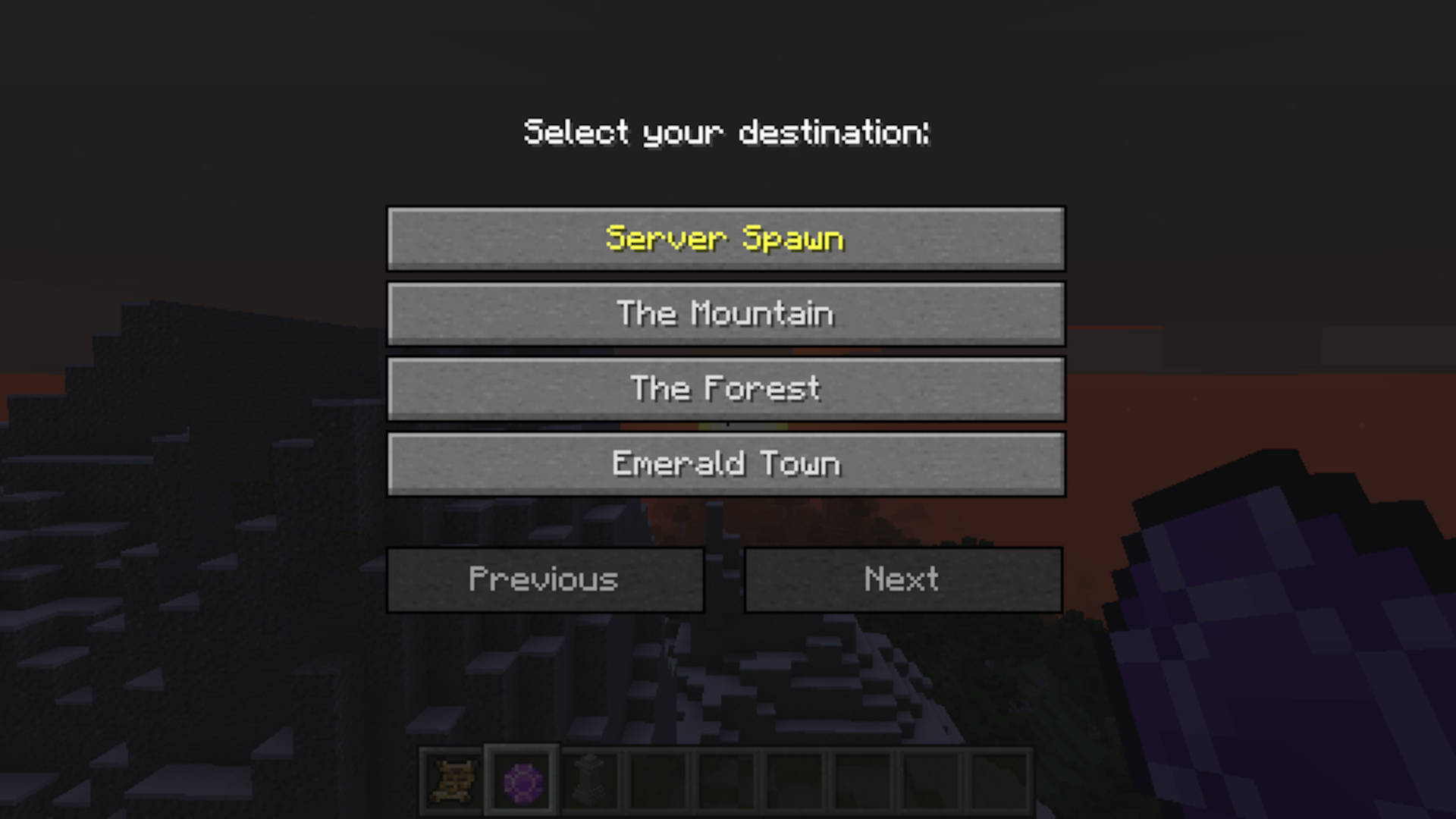
With such a massive open world, getting back to where your home base can sometimes be a huge hassle. However, with the Waystones mod, you can craft Waystones in survival mode and place them to allow travel between them. You can also make Warp Scrolls or Warp Stones to teleport from anywhere. The mod also allows for random generation in the world of these items and global Waystones for Minecraft servers or Minecraft adventure maps.

Pixelmon
If there’s anything better than one of the most popular game franchises of all time, it’s two of the most popular game series of all time coming together. Pixelmon does just that, bringing all your favorite Pokemon to the world of Minecraft.

Better MC
The maker’s vision of what Minecraft should have been, Better MC adds multiple bosses, mobs, crops, items, dimensions, quests, and more to give you the comprehensive Minecraft experience you never knew you needed. We’re not saying we don’t still love the base game, but Minecraft will never be the same again once you’ve tried Better MC.
Good Ending
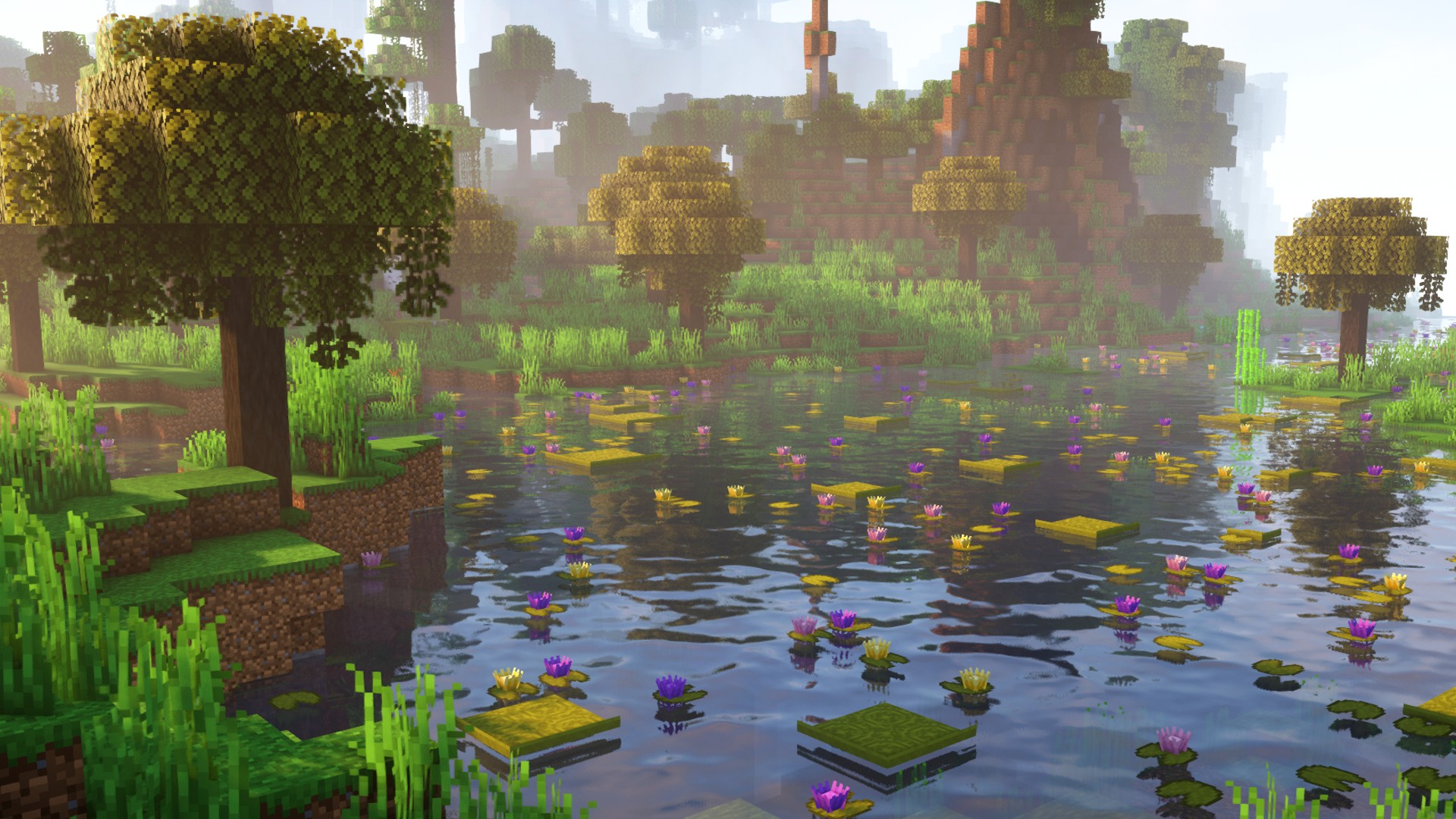
Good Ending by modders Orcinus and Ninni overhauls the Minecraft wilderness, making the survival game even more beautiful than it already is. If you were one of the players disappointed when fireflies were scrapped from the Wild Update, then Good Ending is for you. Modders have implemented the popular mechanic instead, meaning both the daytime and nighttime atmospheres are incredible in this stunning mod.
Vault Hunters
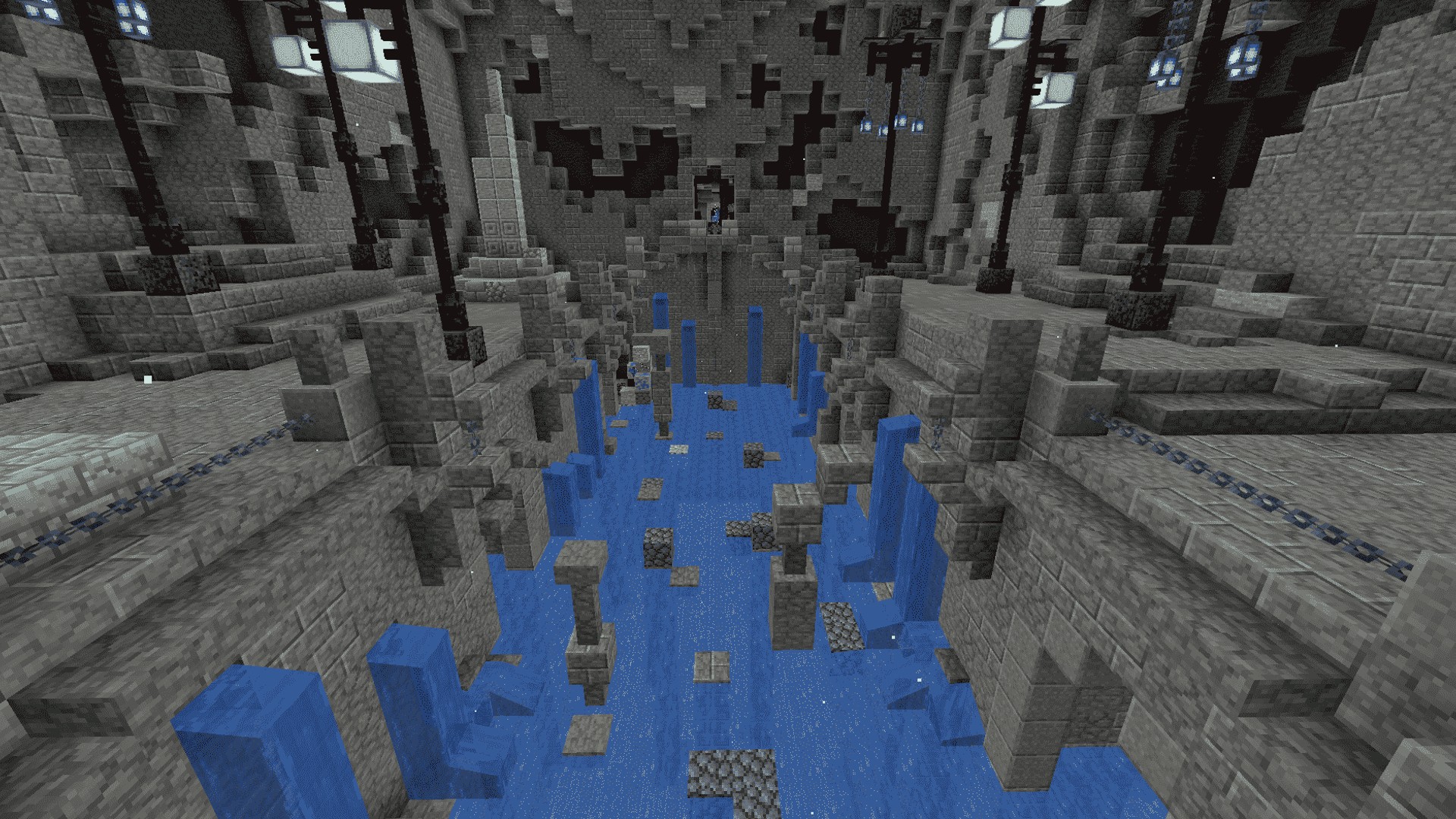
Finally, our last pick of the list is Vault Hunters, another completely game-changing mod pack. Made by popular Minecraft YouTuber and Hermit Iskall85, Vault Hunters takes you deep into thrilling, procedurally-generated vaults, where you must battle your way to valuable loot, armor, and weapons. There’s a fully playable story to Vault Hunters, too, to combine its 25 artifacts to unlock one final, deadly vault.
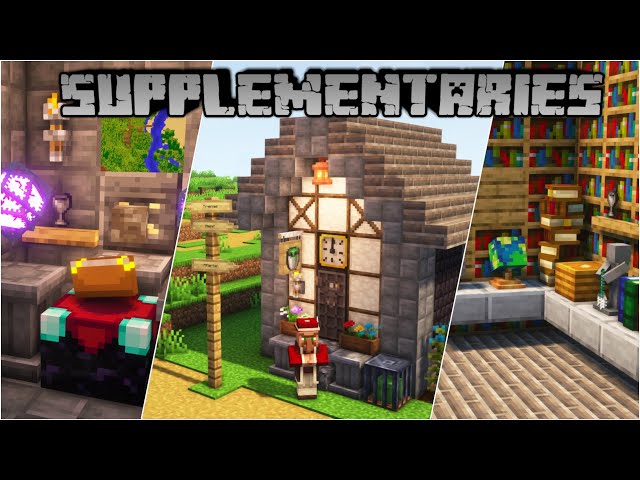
Supplementaries
The Supplementaries mod is an excellent complimentary mod to use alongside vanilla Minecraft and adds many new Redstone items, decorative blocks, and other tools and equipment. If you ever felt like you needed a pulley system or a weather vein that produces a Redstone signal, then Supplementaries has it. Want to lock something up with a key or proudly display your Netherite tools on a pedestal? It has that, too. To use Supplementaries, you must also install the Moonlight Library mod.
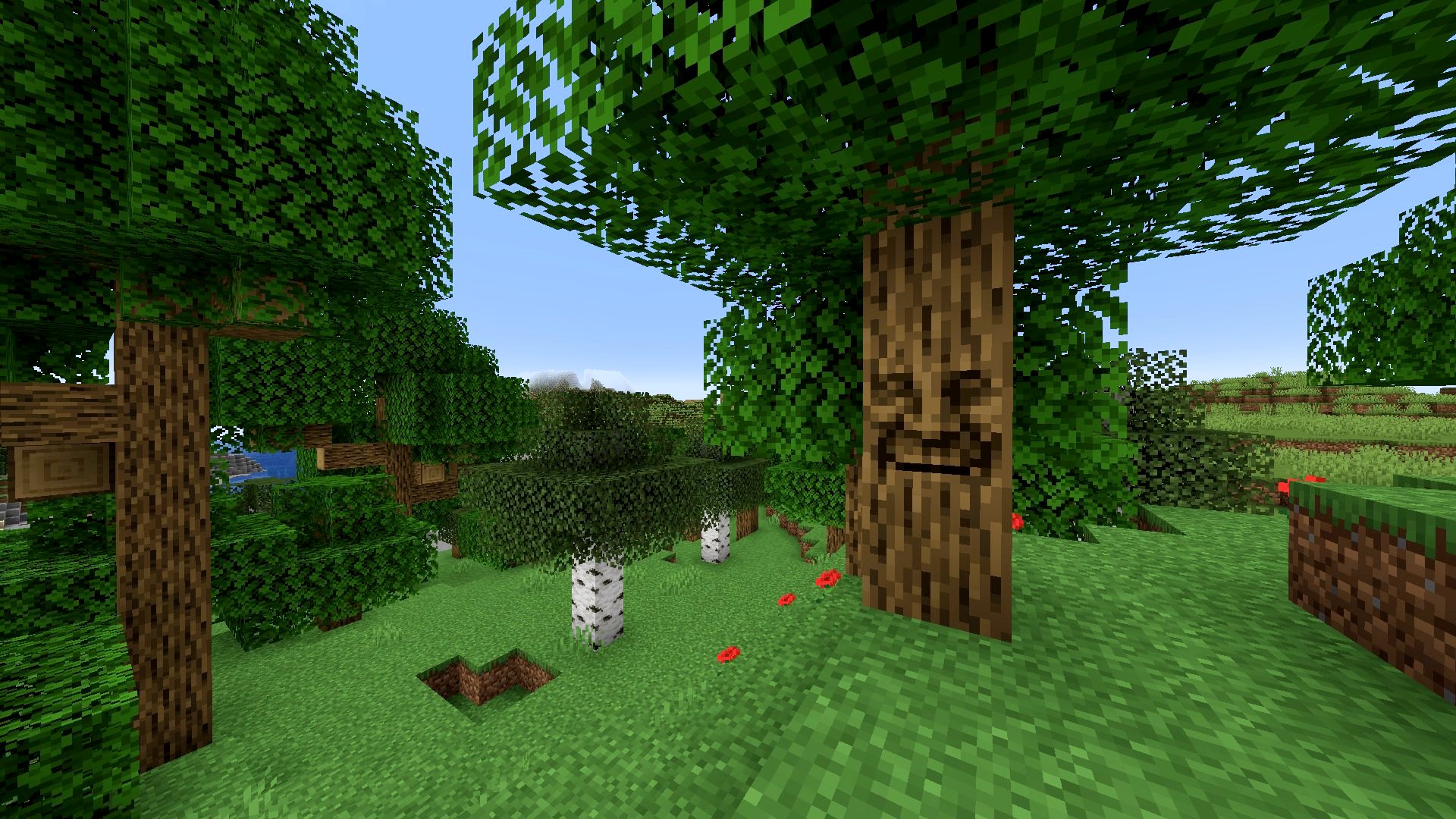
Mystical Oak Tree
While we’re at it, here’s another one from the maker of Supplementaries – Mystical Oak Tree. We couldn’t resist including this mini-mod, where you can interact with a wise old talking oak. Keep your eyes peeled for an oak tree with a face in any of the overworld biomes, and interact with the tree to hear jokes, facts, and more. Be careful not to talk to them during the day, as they don’t take it well to be woken from their sleep. Definitely don’t try to attack them – they’ll fight back.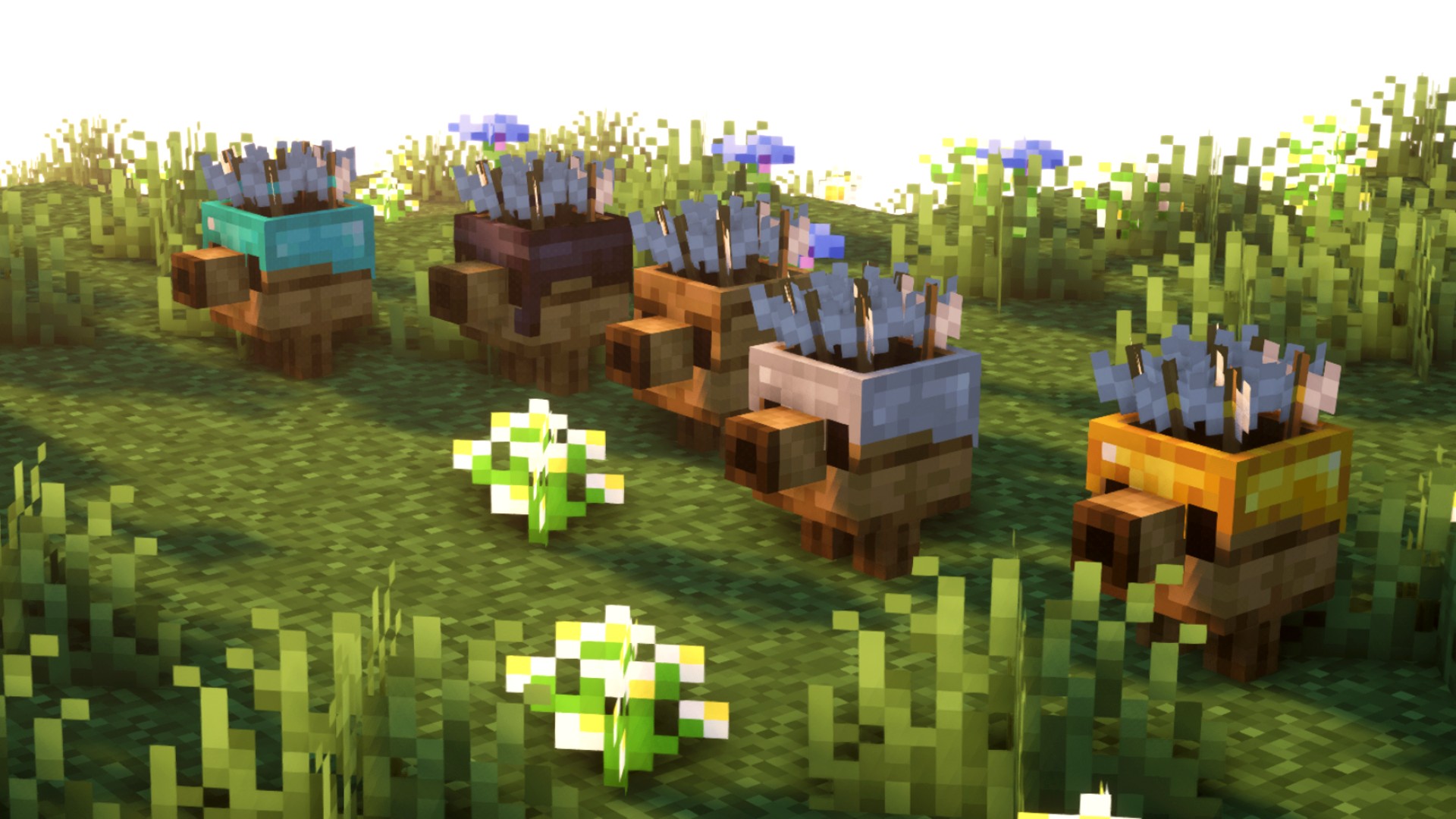
Max’s Miny Golems
If you’ve jumped into Minecraft Legends since its release, you might be familiar with the cute golems you can recruit to aid you in battle in the strategy game. Well, those mobs now appear in the original Minecraft, thanks to the Max’s Miny Golems mod.
While Max’s Miny Golems has some familiar faces from Legends, there are some differences. Firstly, there are more than the three base Legends golems here, as Max has added some of their own, with plans to add Beehive and Slime golems in the future. New items have been added as well to craft these cute companions, including new slabs, flowers, and grindstone variants.
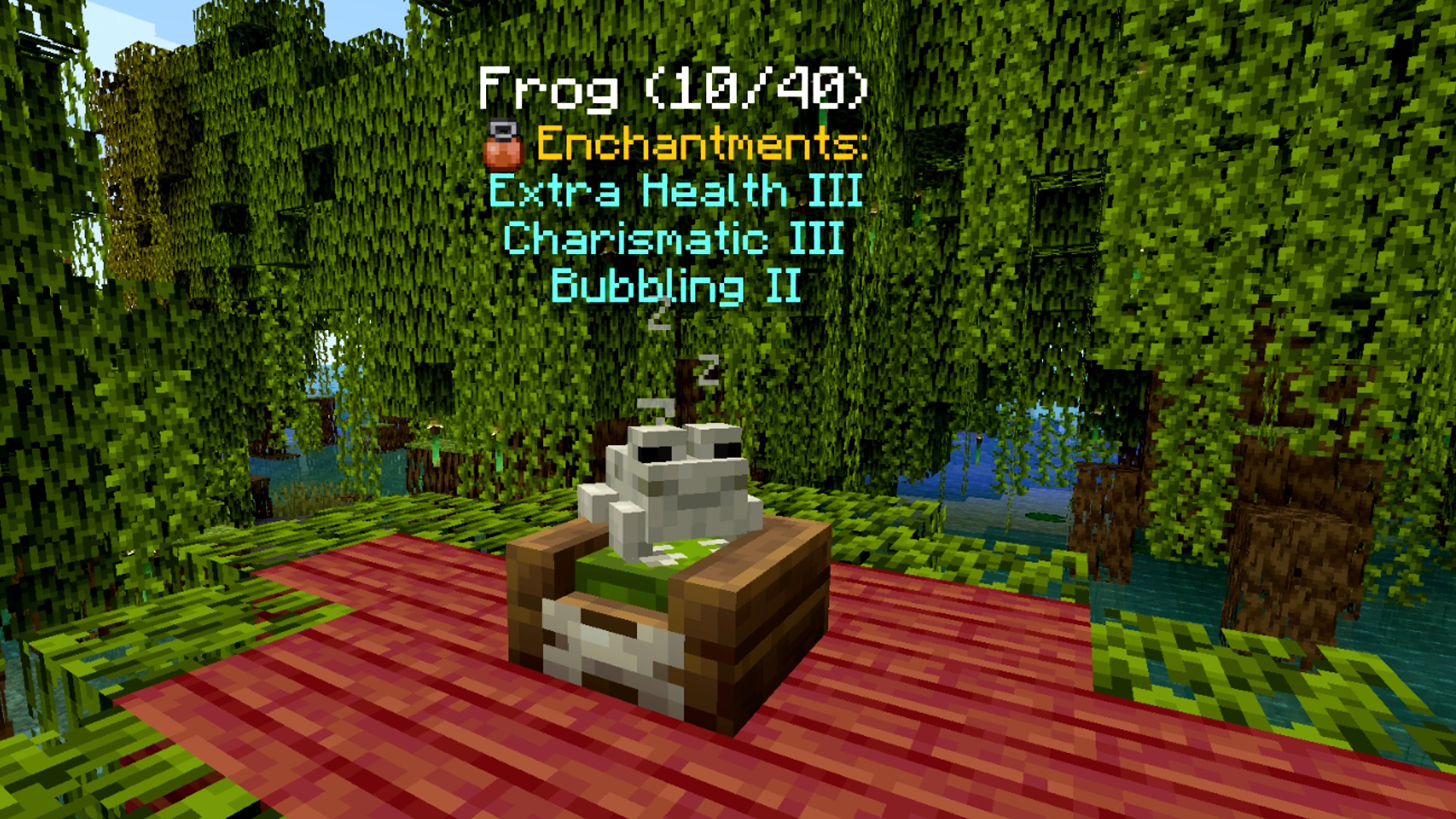
Domestication Innovation
From the same people that brought you Alex’s mobs, Domestication Innovation improves upon player interaction with mobs – both vanilla and modded. Enchant your pets, tame otherwise untameable mobs, use them in battle, and send them to sleep in their beds. The different enchantments can make your domesticated mobs do extraordinary things, like pull entities close, send enemies flying, and strike hostile mobs with lightning. Domestication Innovation doesn’t just work on vanilla mobs and Alex’s mobs but other creator’s mods, as well.
Serene Seasons
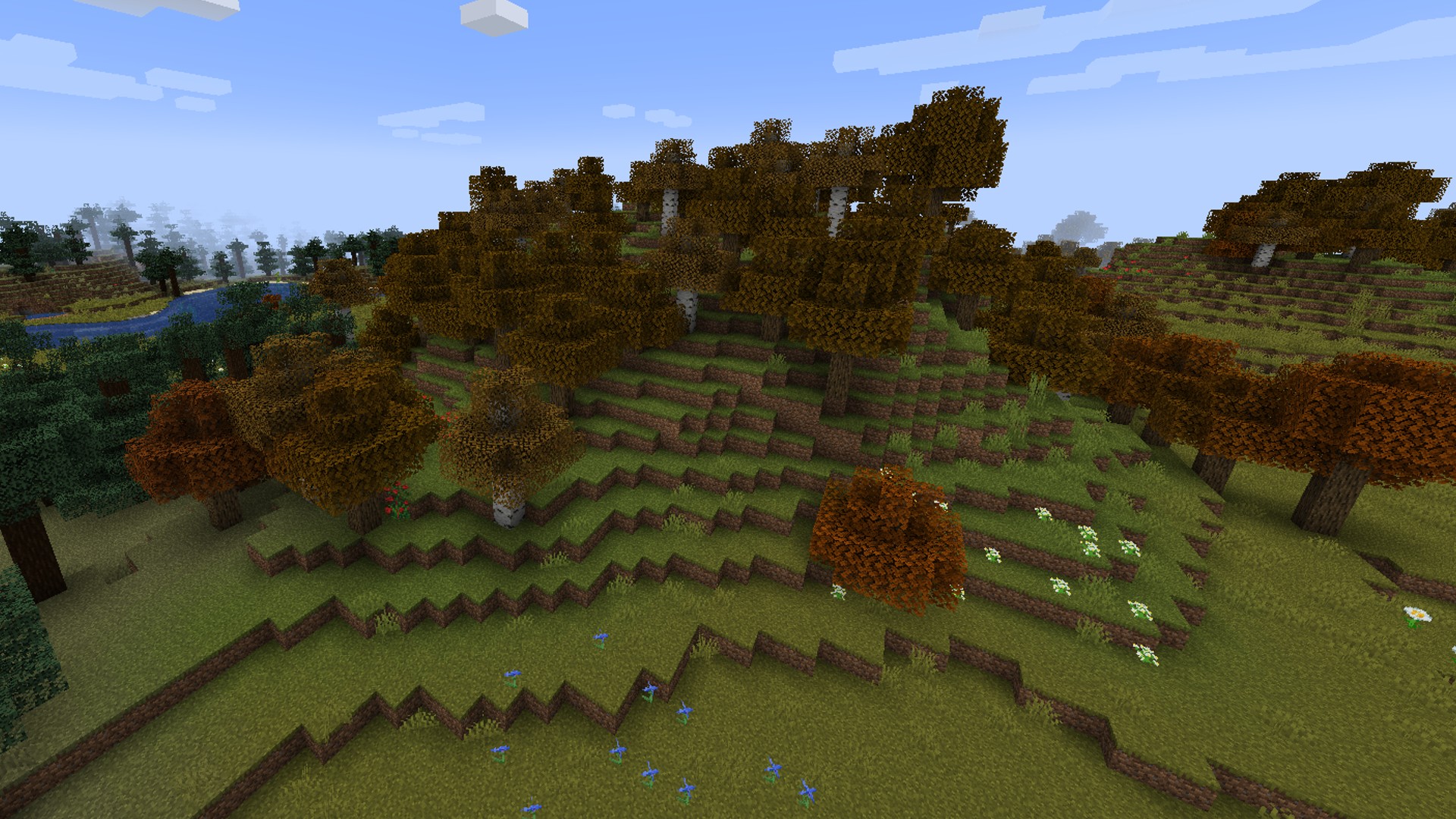
While you can get from winter to summer in Minecraft by traveling between a Snowy Taiga and a Desert biome, the Serene Seasons mod brings seasonal changes to biomes, including amended crop growth and weather patterns. Some biomes that aren’t usually snowy will see snowfall with Serene Seasons turned on, and you’ll see brown and orange leaves throughout autumn.
From the Fog
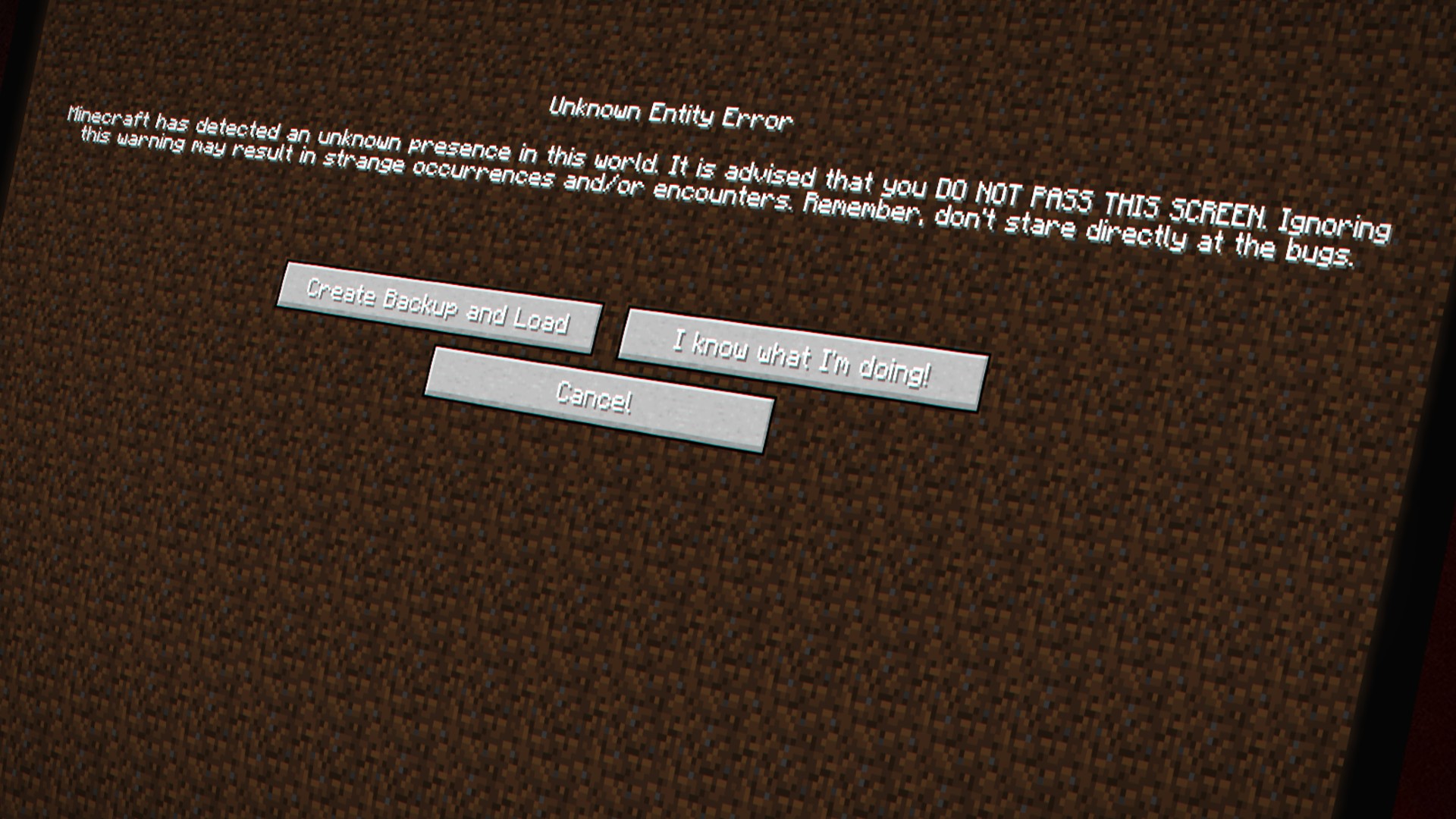
Do you ever wish the Herobrine creepy pasta myth was real? That a creepy non-Steve was a constant threat as you roamed the world at night, bright white eyes peering out at you from behind the trees? Well, firstly, why? Secondly, you’re in luck. From the Fog is a terrifyingly creepy Minecraft mod that brings Herobrine to life alongside zombie Herobrine and sculk Herobrine cos, you know, Herobrine alone isn’t frightening enough.
All the Mods 10
If you want a bit of everything from above, then this chunky mod pack is for you. The ATM team (All The Mods) has been creating mammoth modpacks for a while now, and the All the Mods series is a go-to, ready-made bundle if you want multiple mods but don’t want to put them together yourself. All the Mods 10 includes hundreds of mods, including some of those listed above. That said, it’s a pretty hefty download, so you might be unable to run All the Mods 10 on a lower-end PC.
Natural Progression
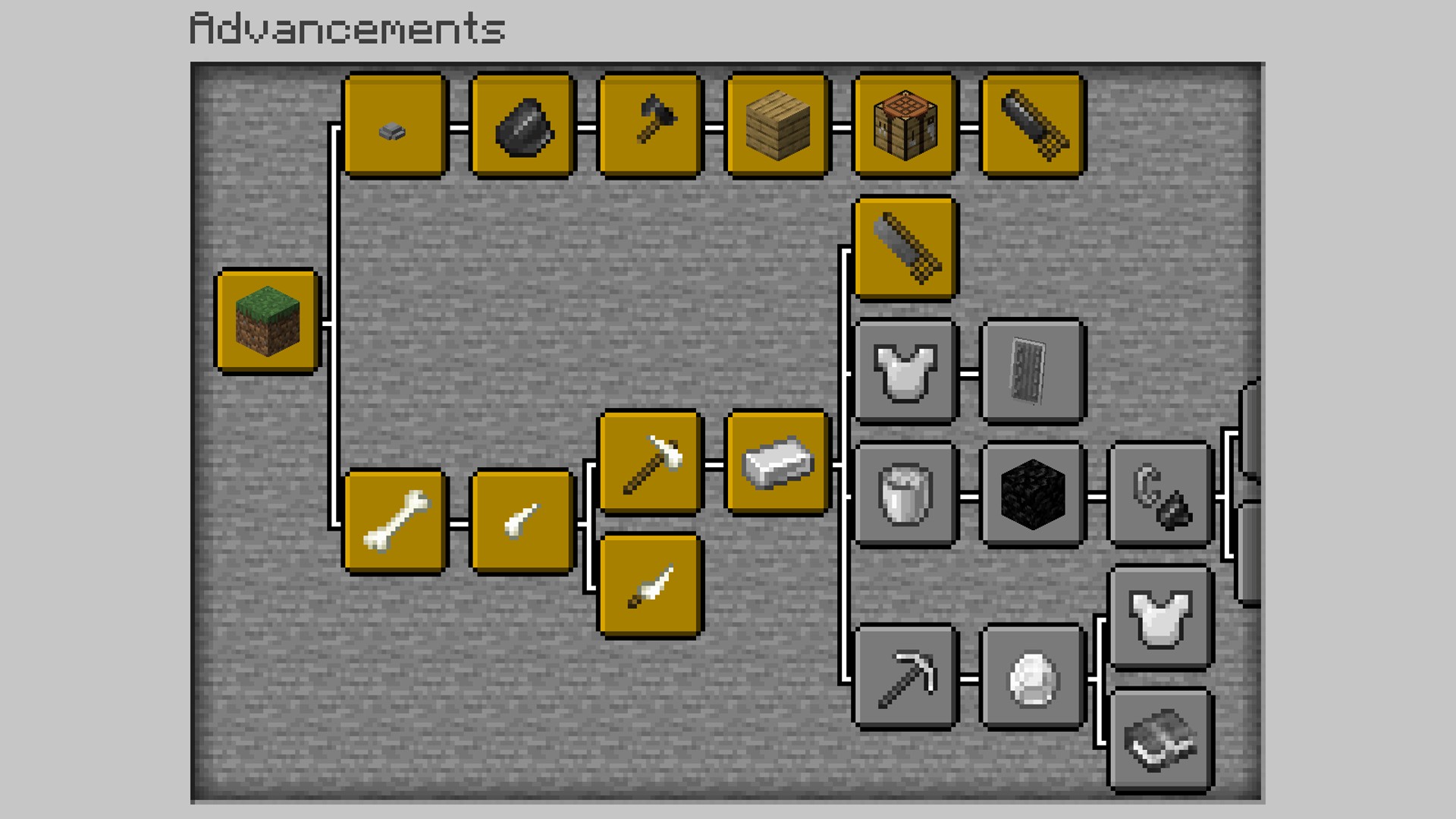
Natural Progression is the ideal mod for those who want a new Minecraft challenge, sticking to the vanilla theme of the game but with a more realistic twist. Instead of punching trees for wood at the start of the game, the Natural Progression mod introduces more materials to discover and craft with to make the early hours of your survival more true to life. Find pebbles or bones to craft your first weapons, and only then can you gather wood to craft a full crafting table and continue your adventure, making the first night or two more challenging than ever.
Dungeons Enhanced
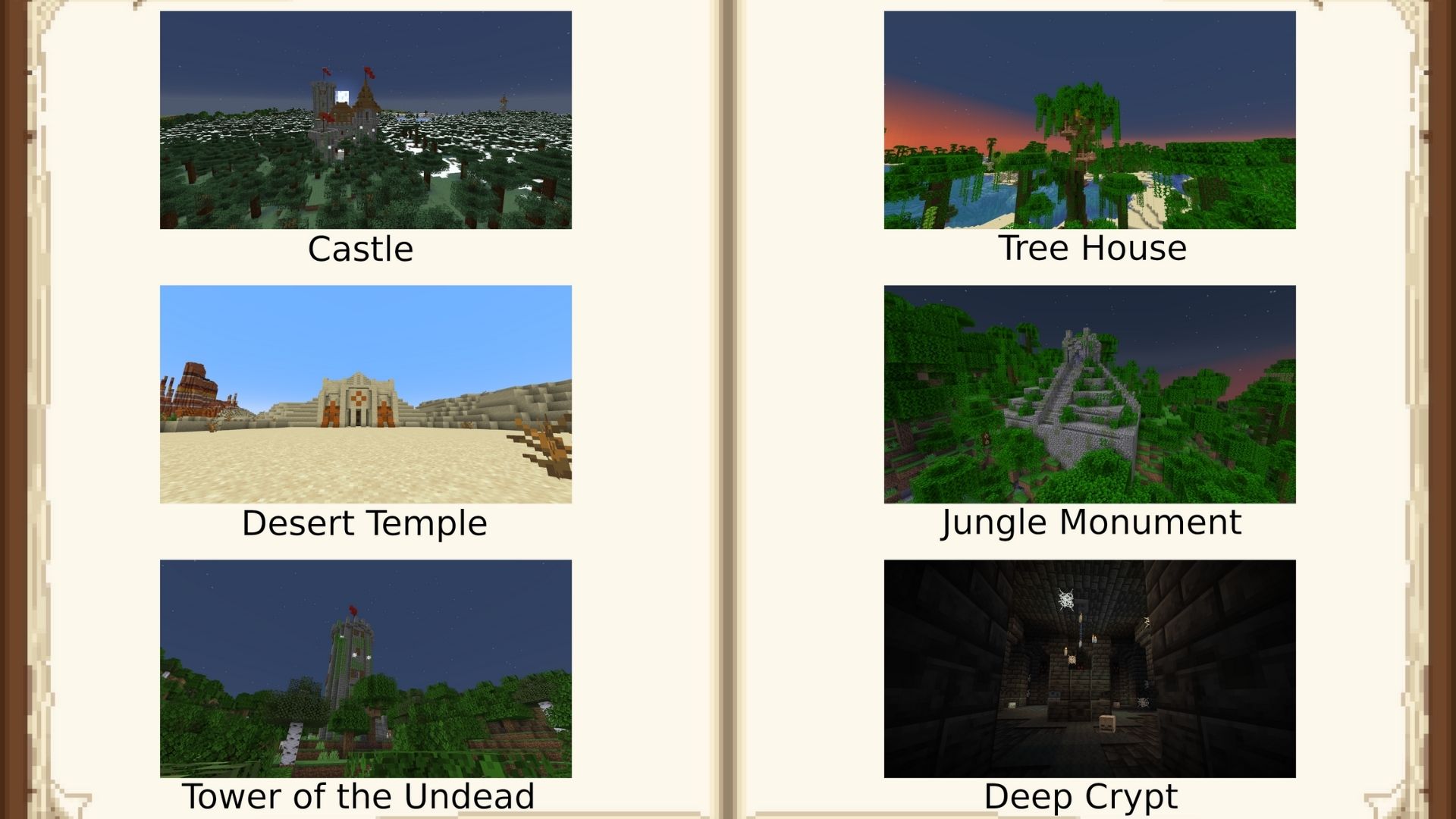
Minecraft has always been fairly limited in terms of the structures or dungeons you can happen upon in the open-world game. It stands to reason then that this could begin to get repetitive. Enter the Dungeons Enhanced mod. This mod adds new dungeons and structures, increasing the total types to 21 and they all fit a medieval or fantasy theme. You’ll soon be stumbling upon huge mazes, castles, or even a pyramid.
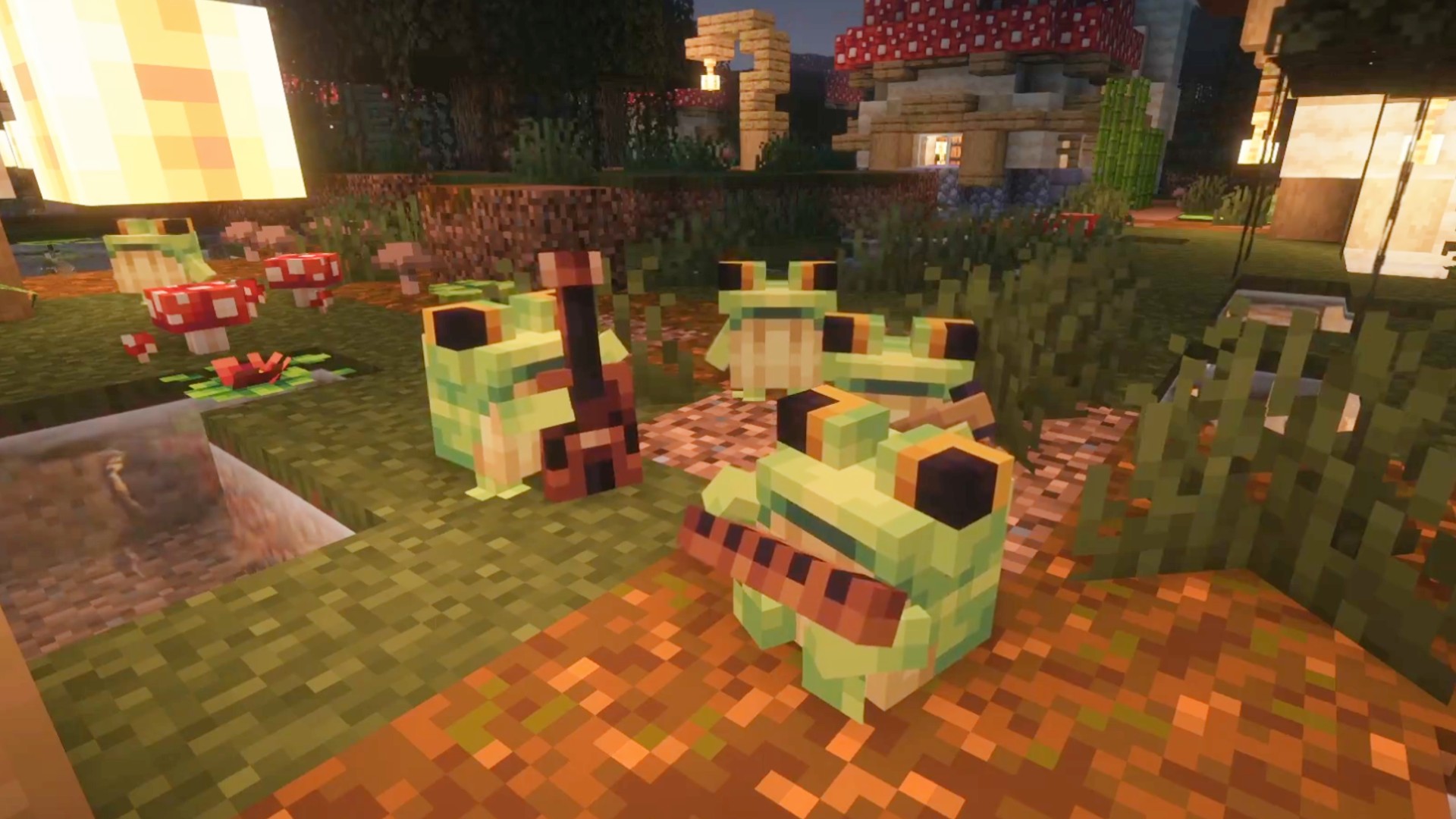
Ribbits
Unlike most of the mods on this page, Ribbits isn’t available for free on Modrinth or Nexus Mods, and requires a Patreon subscription for Bonsai Studios, so we weren’t sure whether to include it or not. However, we couldn’t resist, and we agree with modder Yung – mentioned above in Yung’s Better Fortresses – when they say this might be the cutest mod they’ve ever made.
Ribbits adds more frogs to swamp biomes. Simple. And sure, we’ve already got frogs in swamp biomes, why would we need more? Well, these adorable frogs form cute folk bands and play music. We don’t think any more needs saying, to be honest, but if you’re still not convinced, just watch this tweet for a video of them in action.
Ribbits is currently in early access, so we may see the mod on the usual platforms once it’s fully developed.
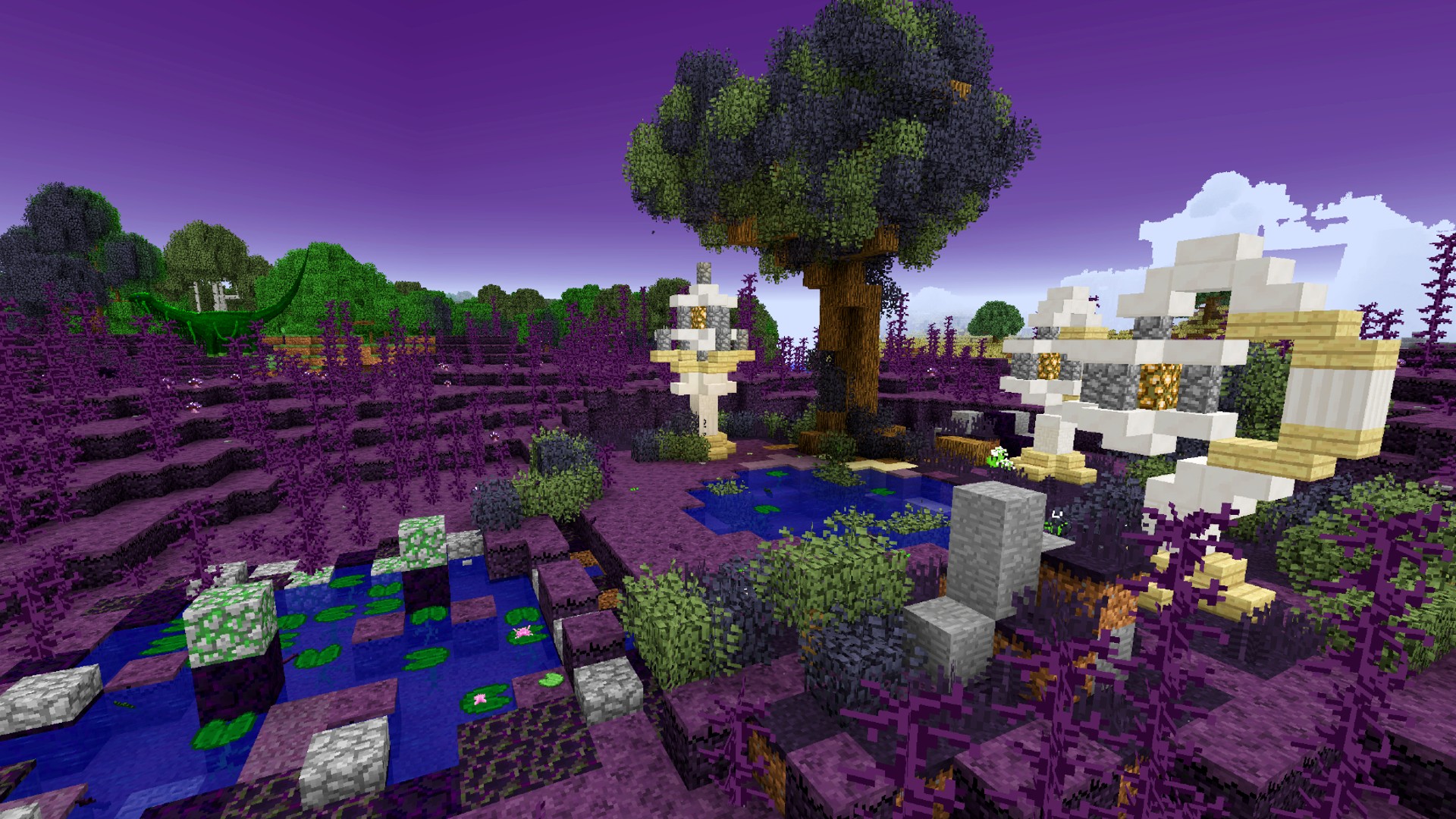
RLCraft
Still the most popular Minecraft mod of all time, RLCraft plays into the world’s love of fantasy with dragons, fairies, and more added to your Minecraft world. But that’s not all. In addition to the range of terrifying and adorable new mobs, RLCraft features new biomes, new auto-generated structures like towers and dungeons, and an all-new survival experience.
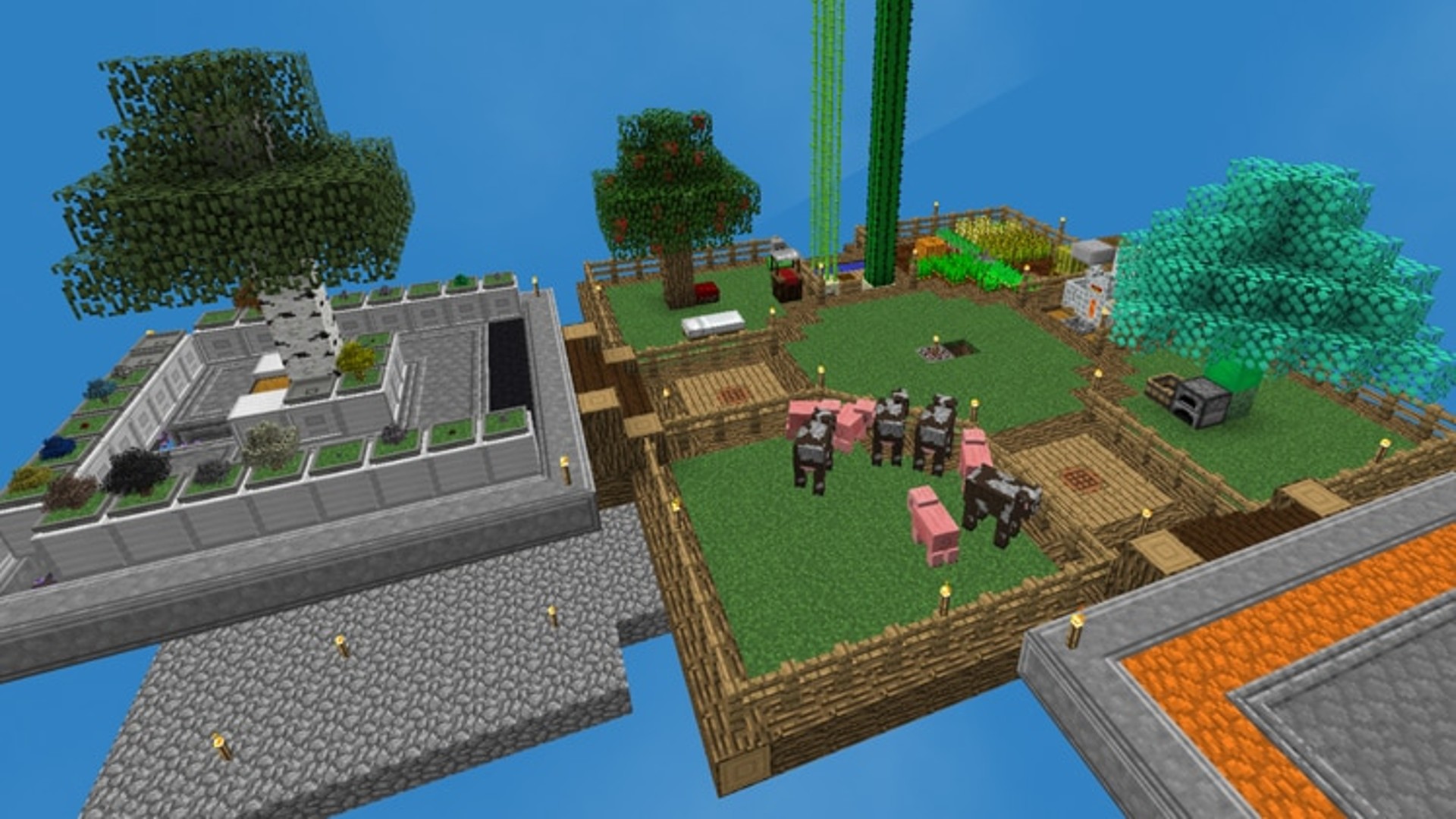
SkyFactory 4
SkyFactory is one of the most classic Minecraft mods based on the popular SkyBlock map. Combining the original SkyBlock experience with industrial autonomy, SkyFactory 4 lets you lose on a floating Minecraft world full of unique devices, machines, new crops, and even magic.
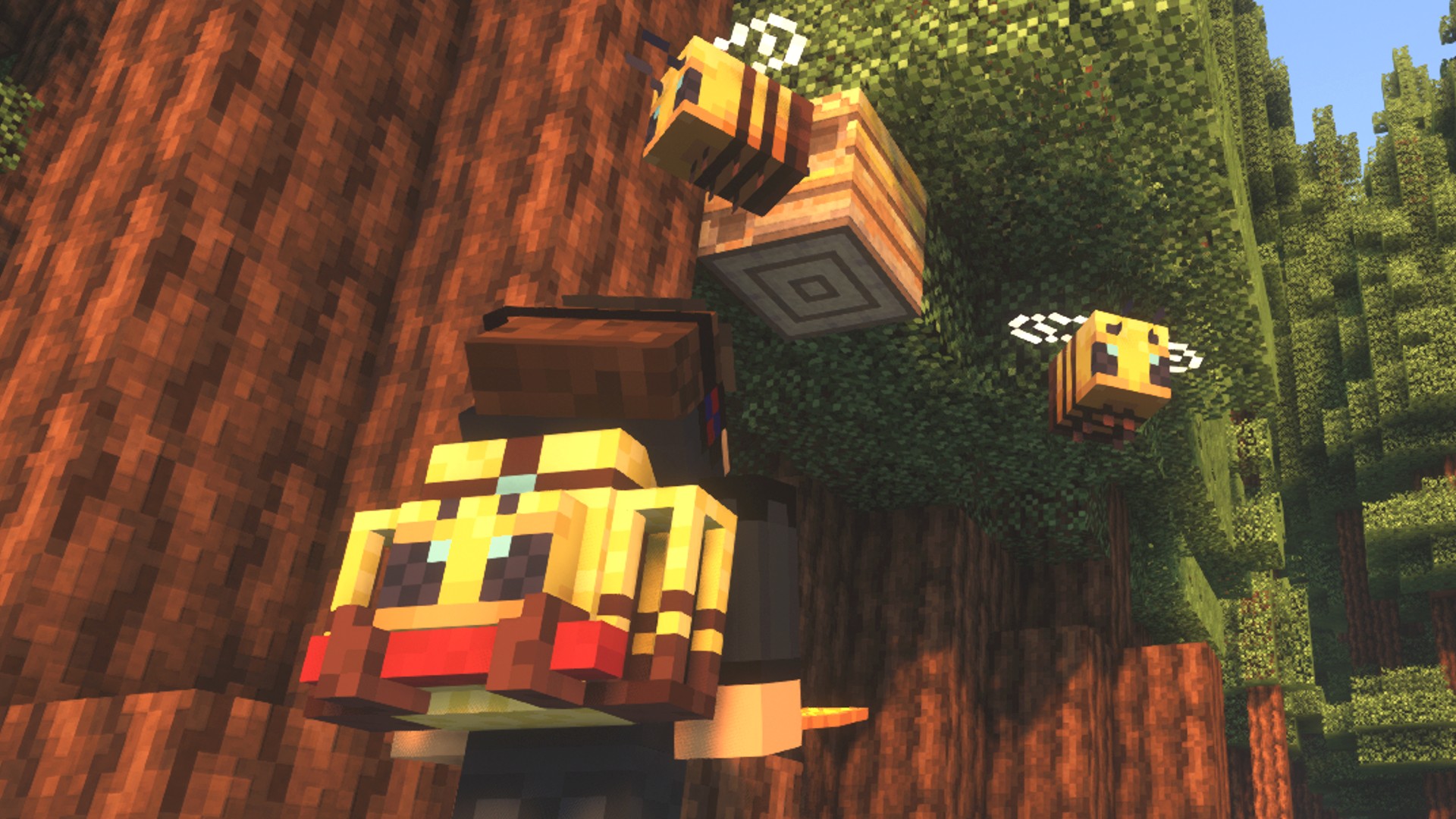
Traveler’s Backpacks
Mojang tried to give us bundles, and, while they seem to have been indefinitely postponed, you can still try them in-game thanks to experimental features. That said, it’s not really the same, and Minecraft modder Tiviacz has taken things one step further with Traveler’s Backpack. This adorable mod doesn’t only increase your storage capacity when you’re exploring the world, but it does so in style, giving you a choice of cute backpack to match your environment – just look at that Apiarist backpack above!
Carpet
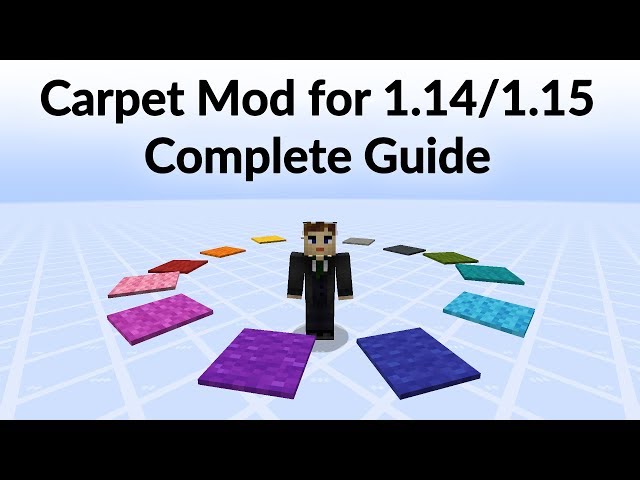
Carpet is a complex peek behind the curtain of your vanilla world, and we wouldn’t recommend it to players new to the modding world. However, if you’re familiar with some of the more intricate aspects of the game, then you can use the Carpet mod to alter and mess with your own vanilla world, risk-free.
With Carpet installed, you automatically load into any of your existing Minecraft worlds, and nothing has changed. However, you can use Minecraft commands to meddle with things, including fixing bugs, changing mechanics, and utilizing creative tools. Carpet is fully customizable and compatible with vanilla Minecraft, so you can turn commands on and off at will, including all of them at any time, simply reverting back to your vanilla world. Check out the video above for more.

World Edit
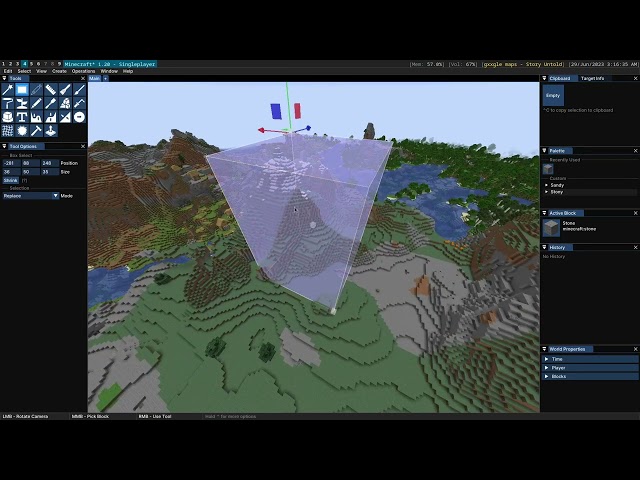
If you follow any of the best Minecraft YouTubers, you most likely will have heard at least some mention of World Edit. Downloaded millions of times, World Edit gives players an easy way of building magnificent creations in Minecraft, with copy, paste, and move features and the ability to switch out one block type for another.
Watch the video above from Hermitcraft YouTuber Grian to learn more about what you can do in World Edit if you’re just getting started.
Axiom
The relatively new Axiom mod is an alternative to the classic World Edit, also featuring options to manipulate blocks, easily terraform large areas of ground in a few clicks, and life, move, and duplicate large builds.

Little Tiles
To kick off the building mod section of this guide, we’re going right in at the deep end. While the limitations of Minecraft’s blocks may be part of the fun for many, LittleTiles allows those who want more flexibility to build with pixel-sized tiles. With LittleTiles, therefore, the only limitation is your imagination. This mod’s teeny blocks can even be used to make moveable parts, twinkling lights, and so much more.
Chisel
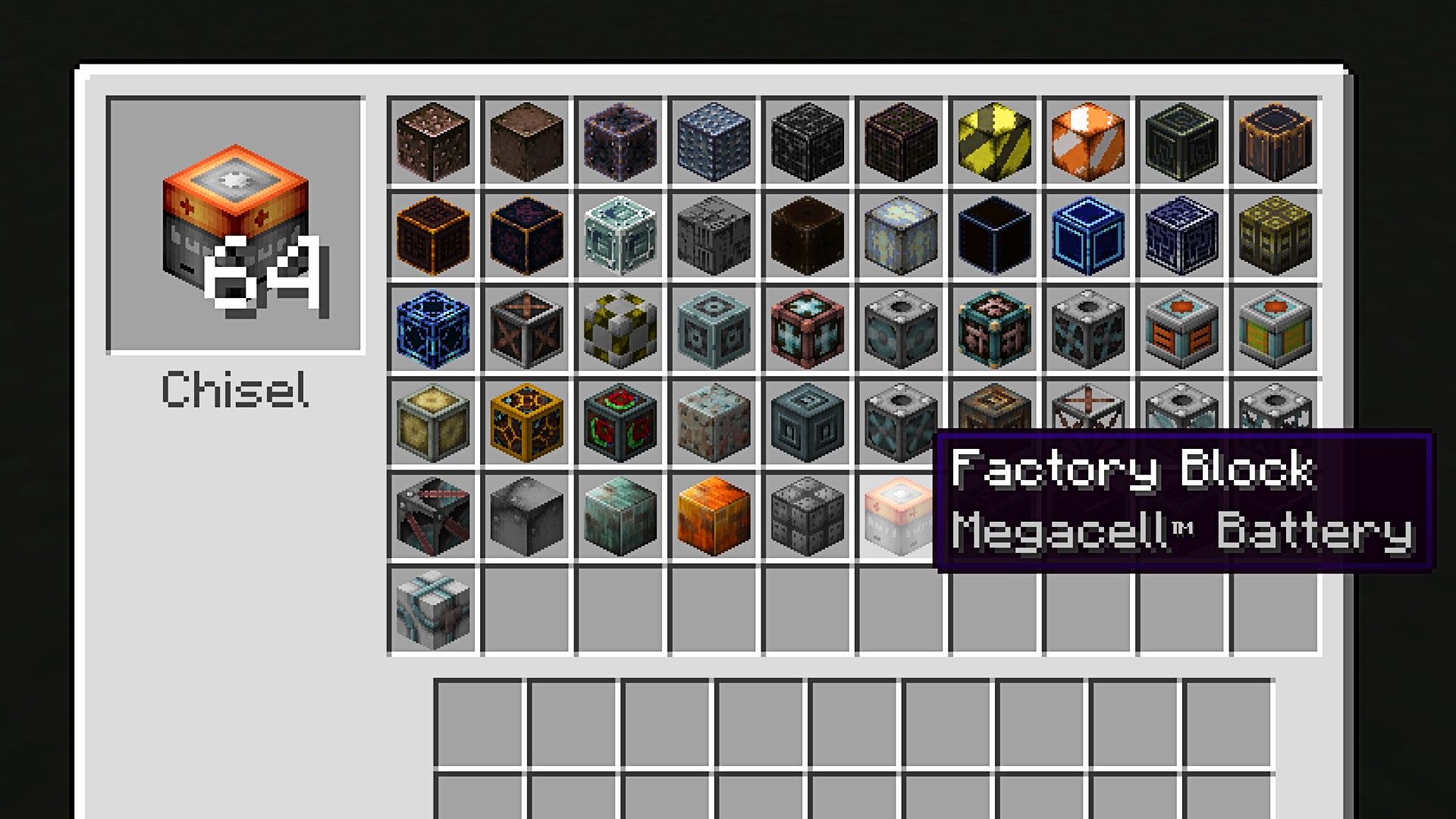
Chisel gives you access to, well, a chisel, which allows you to change the texture of any block. With a vast range of industrial-style textures, Chisel allows players to build the most complex and intricate mechanical builds.
FramedBlocks
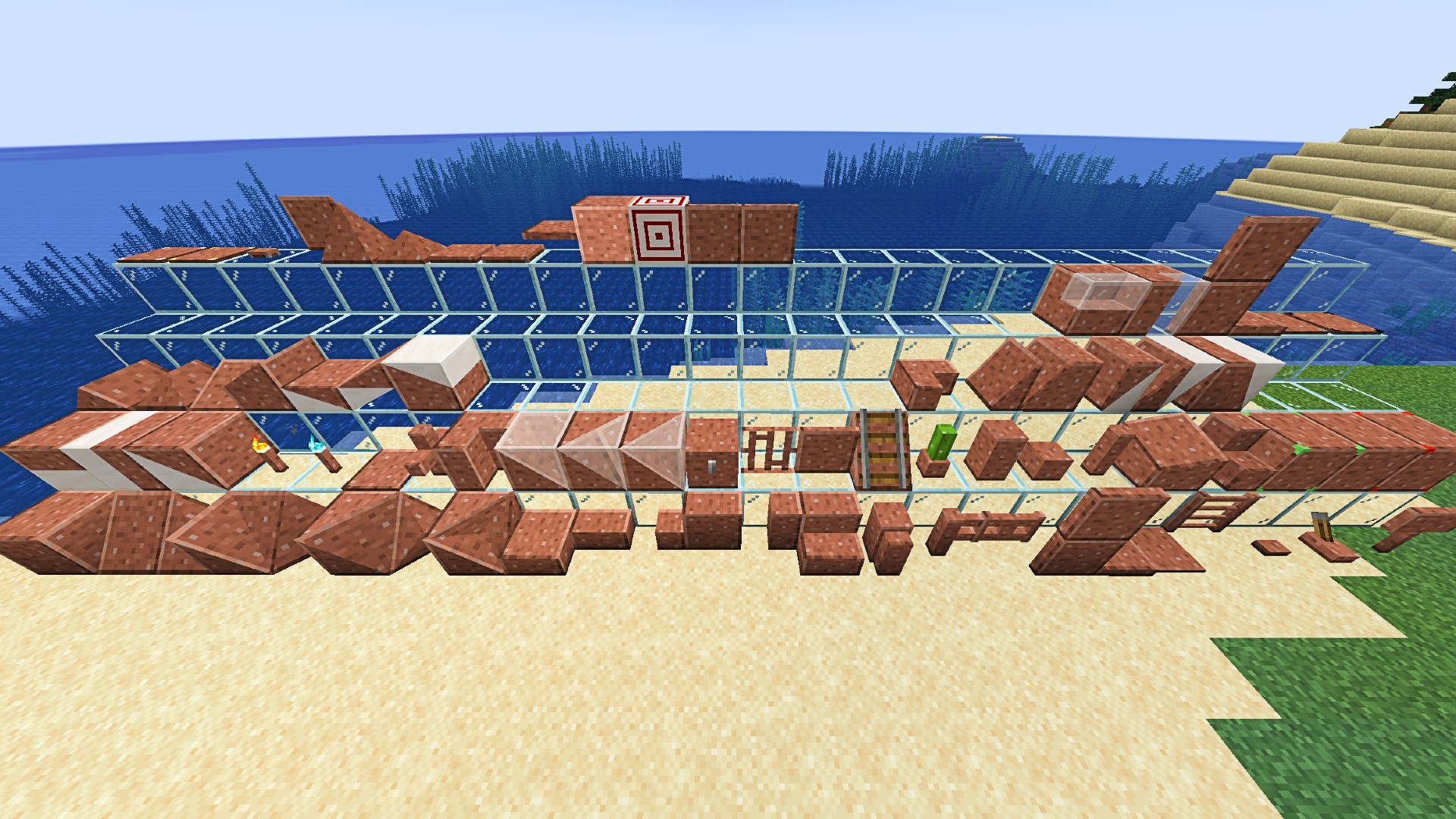
Cubes are great and all, but occasionally, you want a slope, right?FramedBlocks adds a ridiculous number of new shapes to the Minecraft inventory for you to work into your unique builds. Even better, though, is that they also have customizable textures. Simply right-click on your slope, slab, or step with any other Minecraft block, and it will take on that texture. Want a flower pot made of wool? You got it.
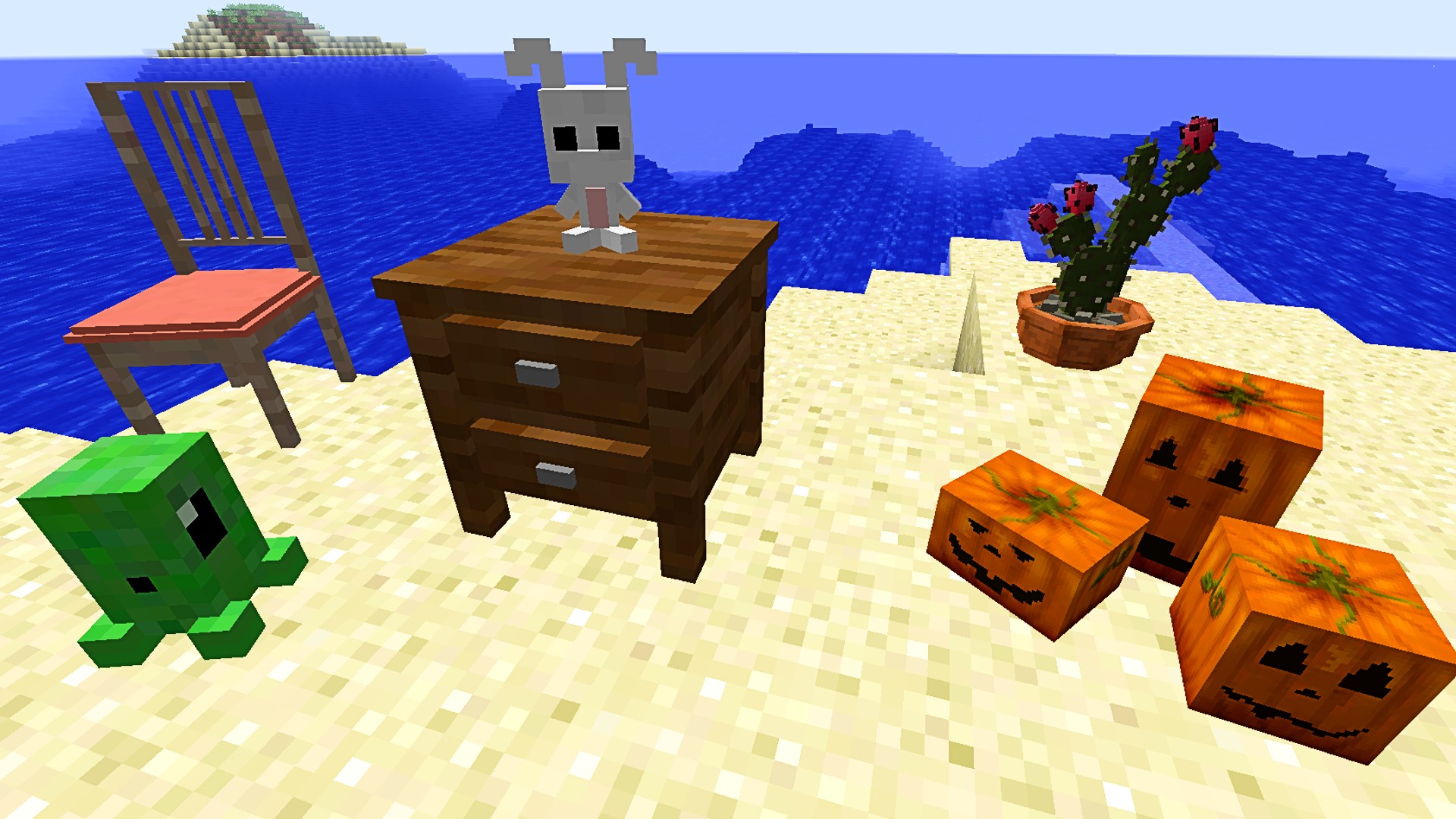
Decocraft
If you’d like a bit more variety when it comes to decorating your Minecraft house, Decocraft is the mod for you. It adds around 3,000 new customization items, including craftable chairs, tables, bowls, bottles, lamps, stuffed toys, beer kegs, and even a kitchen sink. To keep up to date with all those items, you can join the mod’s official Discord.
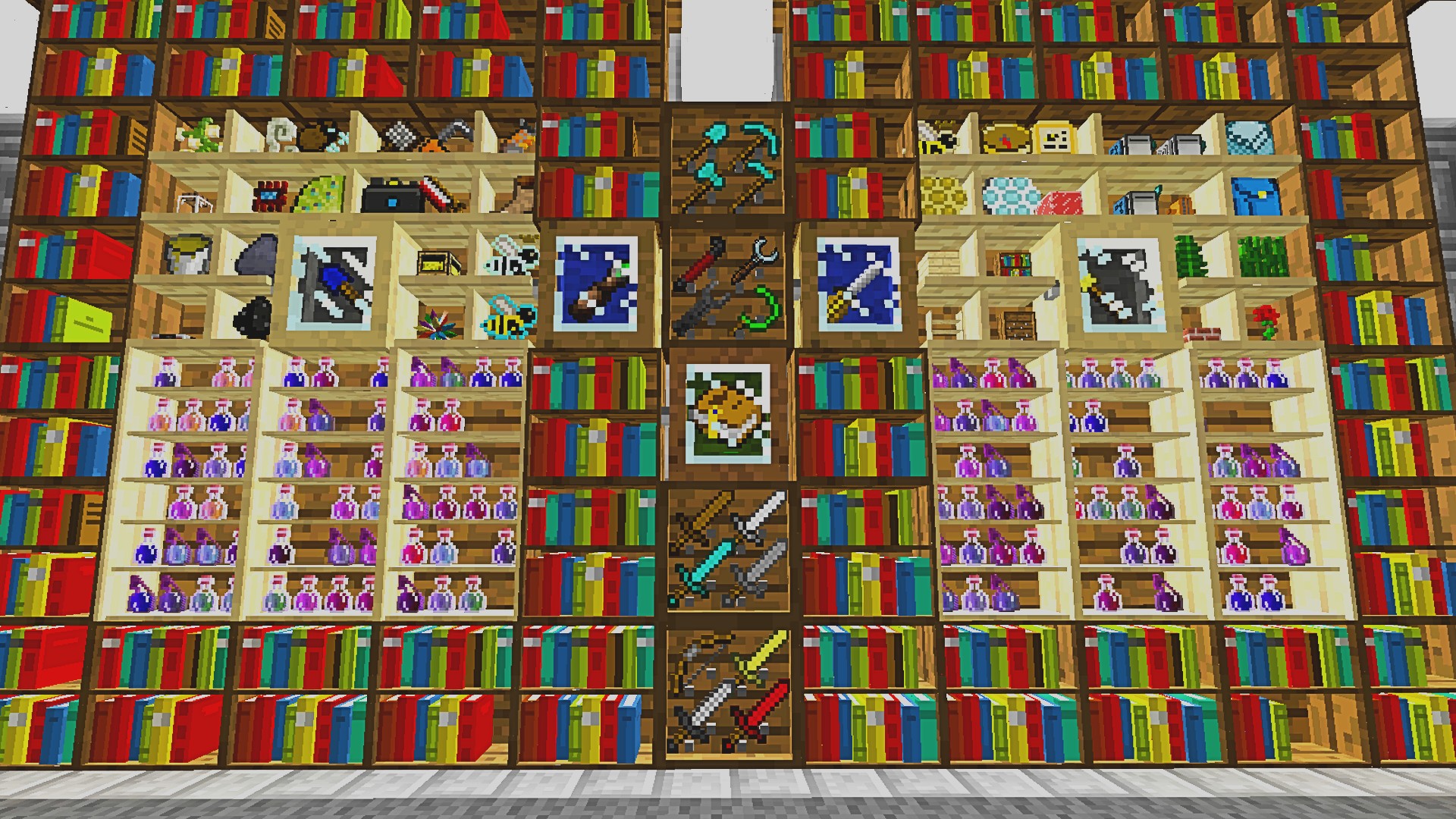
Bibliocraft
Bibliocraft also offers many aesthetically pleasing blocks, but these come with their functionality. Based initially around customizable bookshelves, Bibliocraft also offers display cases, and shelves let you show off your armor and trophies, while a printing press lets you copy in-game books. It even adds a monocle for the distinguished Minecrafters among you.
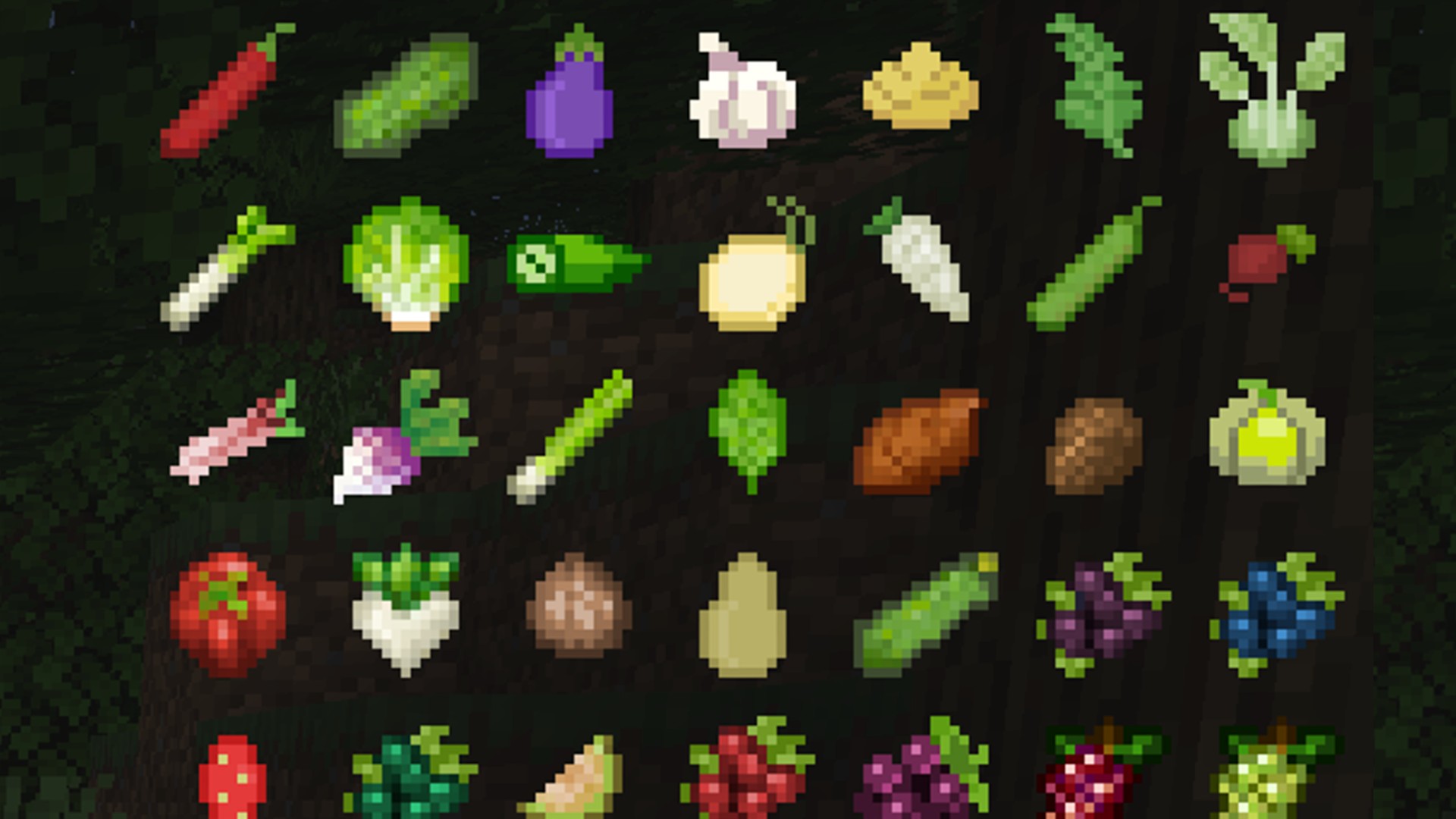
Pam’s HarvestCraft 2
Not so much a mod for building but one that does introduce new items to the menu, Pam’s Harvestcraft 2 brings some serious variation to your Minecraft diet. A follow-up to the original Pam’s Harvestcraft – which can still be used in Minecraft versions up to 1.12 – PH2 is split into four separate mods: Food Core, Crops, Trees, and Food Extended. The result is a Minecraft diet that is lavish and balanced. If you want to make this a necessity rather than just a fun extension to vanilla Minecraft, use it alongside Hunger Overhaul and The Spice of Life, which both punish your poor eating habits.

Farmer’s Delight
As an alternative to Pam’s Harvestcraft, we also love Farmer’s Delight, another lovely Minecraft mod to add more food and recipes to your world. Farmer’s Delight also comes with advancements to guide you through all of its additions, so you can’t get lost or miss out on anything.
In order to farm your new crops in the most effective way, this Minecraft mod also adds new soil types and tools, alongside all those tasty recipes.
Hopefully, with all those mods to choose from, you’re ready to get lost in Minecraft all over again. If you need a handy tool to manage your mods, our guide to installing and using Minecraft Forge will help you organize your modding needs and the best Minecraft seeds to pair them with. If that’s still not enough diversity from the vanilla game, check out our list of the best crafting games on PC.